***English version down below***
### ***Inhaltsverzeichnis*** - **Start des Ratings** - **Beantwortung der Fragen** - **Korrekturphase** - **Korrigieren der Antworten** - **Abschluss des Ratings** --- #### **Start des Ratings** **1: Um das Rating zu starten, klicken Sie auf den Banner "FÜR IHR UNTERNEHMEN WURDE EIN DATENSCHUTZ RATING BEANTRAGT"** [](https://docs.nimbusec.com/uploads/images/gallery/2024-06/9UlM9TTQhByZskEz-image.png) --- **2: Bevor das Rating gestartet werden kann, ist es wichtig, die Hinweise für die Beantwortung des Ratings zu lesen. Die Befolgung der Hinweise ist für einen reibungslosen Ablauf unumgänglich** [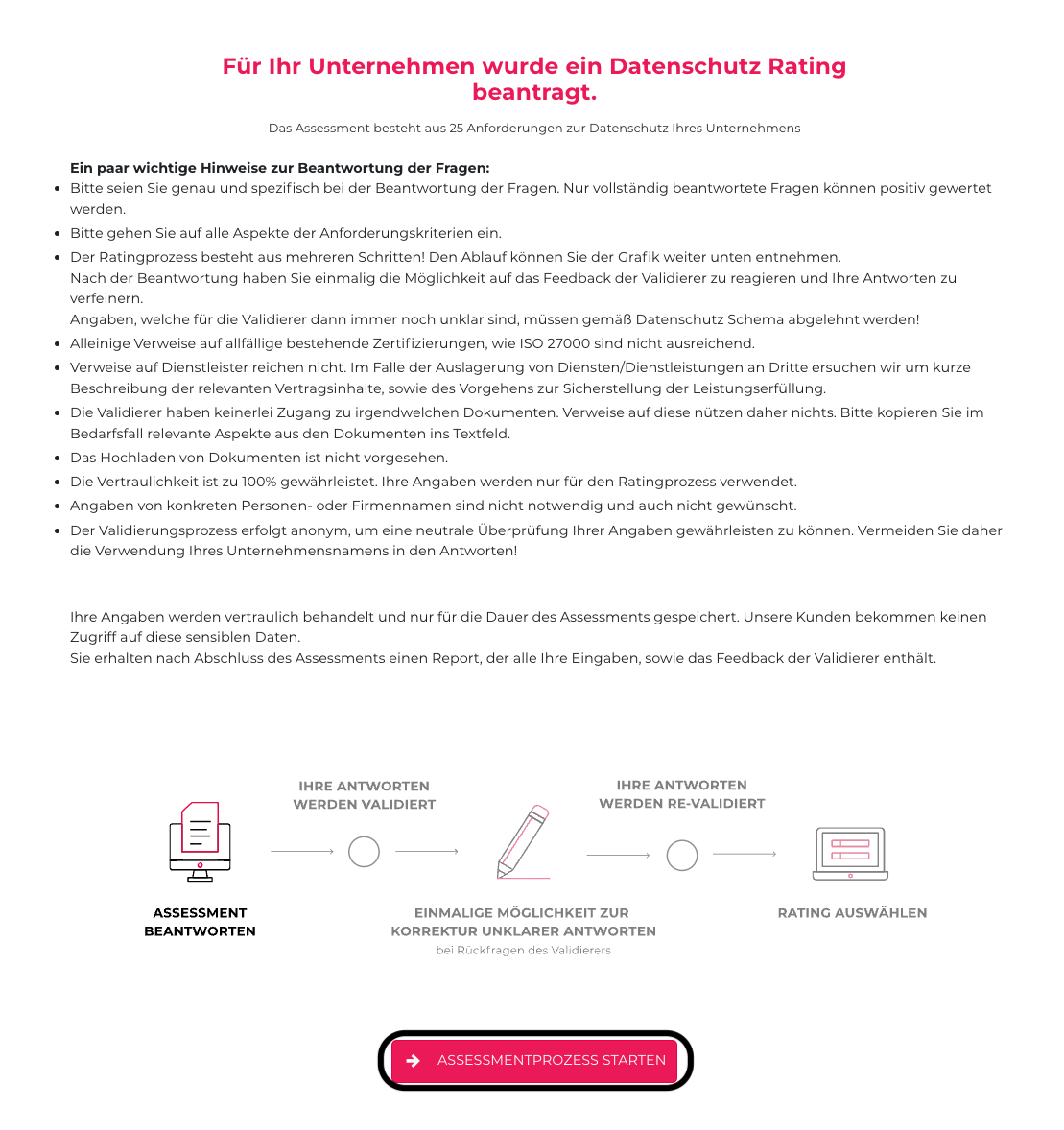](https://docs.nimbusec.com/uploads/images/gallery/2024-06/uzrWBzJ6p8dmLyDP-bildschirmfoto-2024-06-06-um-11-38-48.png) --- **3: Um final mit dem Rating zu starten, bestätigen Sie die Prüfungsbedingungen** [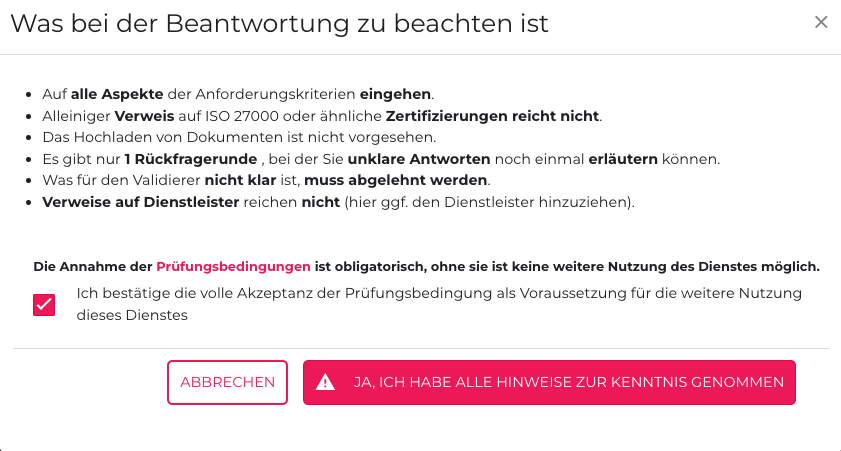](https://docs.nimbusec.com/uploads/images/gallery/2024-06/o6cUK1kVwNXpGLfw-bildschirmfoto-2024-06-06-um-11-59-21.png) --- #### **Stammdaten Einfügen** **4: Nach dem Bestätigen der Prüfungsbedingungen tragen Sie die Stammdaten Ihres Unternehmens ein.** **[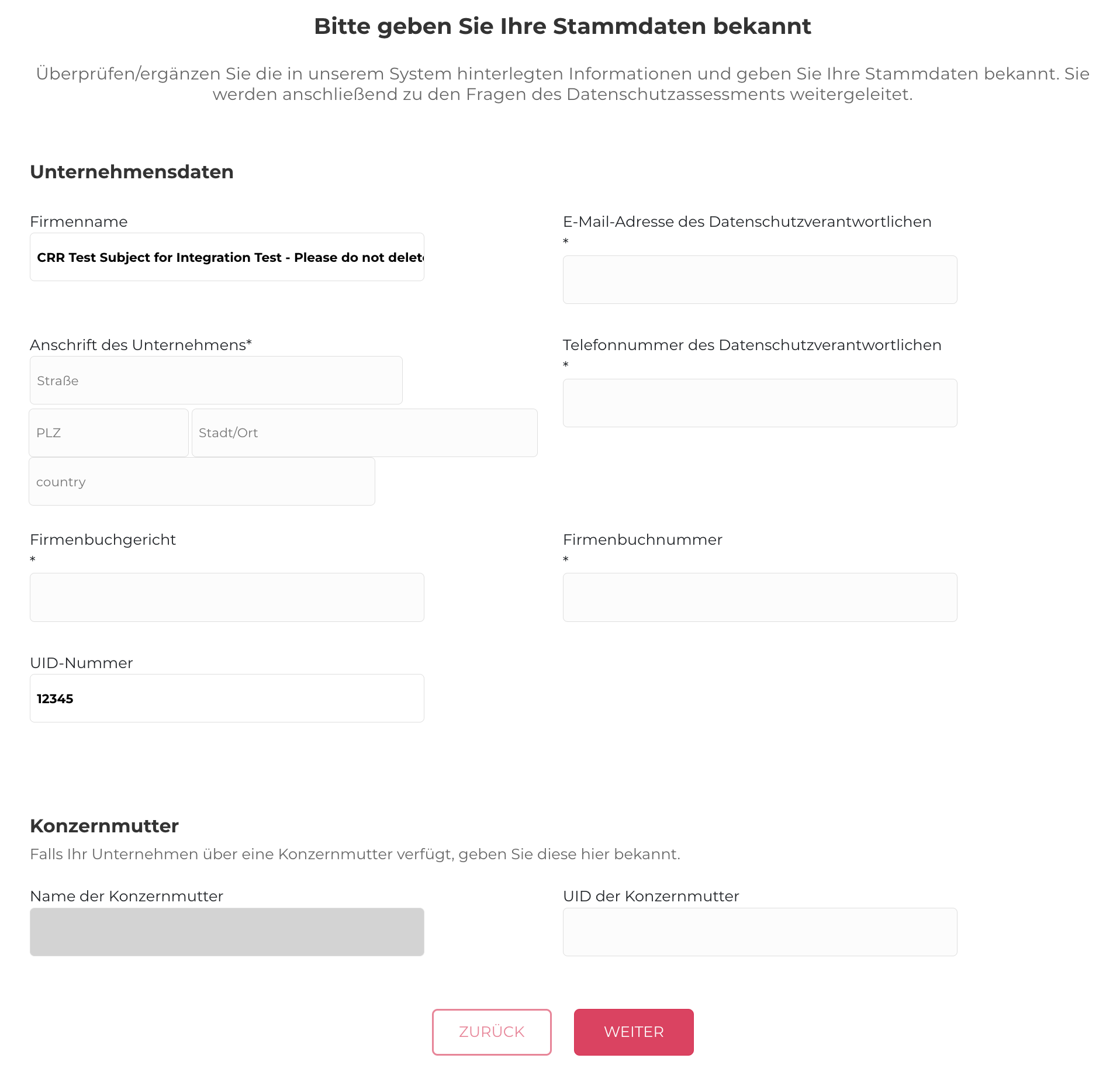](https://docs.nimbusec.com/uploads/images/gallery/2024-06/DQ5npnR6hgF4rXKC-bildschirmfoto-2024-06-07-um-10-32-40.png)** --- **5: Tragen Sie im nächsten Schritt noch ein, in welchen Länder Ihr Unternehmen geschäftlich tätig ist.** **[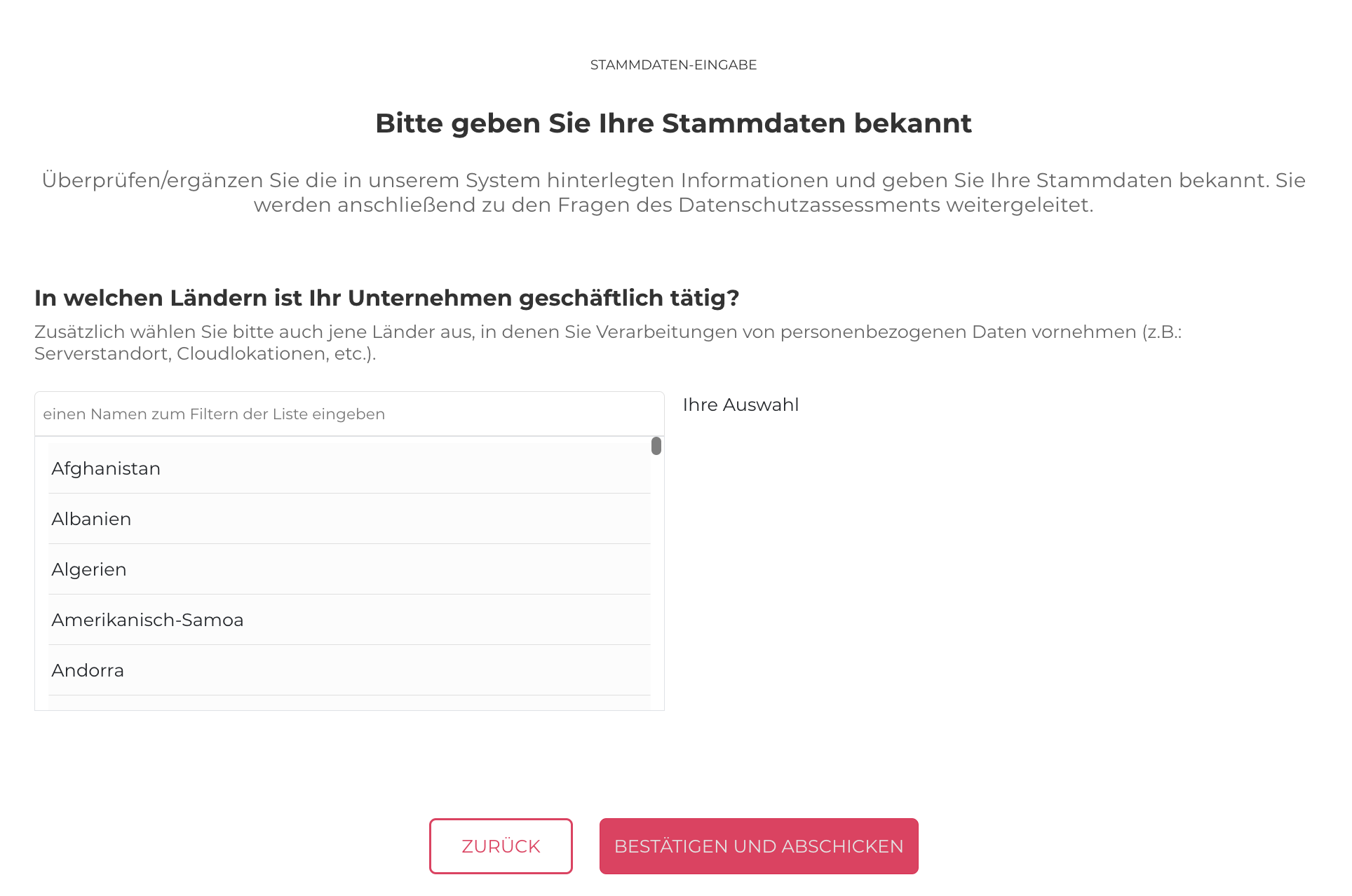](https://docs.nimbusec.com/uploads/images/gallery/2024-06/xxYClXp7IJ221pin-bildschirmfoto-2024-06-07-um-10-16-15.png)** --- ##### **Beantwortung der Fragen** **6: Nach Bestätigung der Prüfungsbedingungen, können Sie mit dem Beantworten der Fragen starten. Um die Beantwortungen der Fragen gut durchführen zu können, beachten Sie bitte folgende Punkte:** - Es können keine Dokumente, Policy, etc., hochgeladen werden - Die Beantwortung der Fragen soll in eigenen Worten und so einfach wie möglich durchgeführt werden - Die Antwort muss eine Mindestzeichenanzahl von 100 enthalten --- **7: Um zu einer Übersicht der Fragen zu gelangen, klicken Sie auf "ZUR ÜBERSICHT"** **[](https://docs.nimbusec.com/uploads/images/gallery/2024-06/dL3OREHDyUVGdq2E-bildschirmfoto-2024-06-06-um-16-13-13.png)** --- **8: Hier werden alle 25 Fragen aufgelistet. Durch einen Klick auf die gewünschte Fragen kann diese beantwortet werden** **[](https://docs.nimbusec.com/uploads/images/gallery/2024-06/vNu2Slg1ExYpn5Yt-bildschirmfoto-2024-06-06-um-16-20-23.png)** --- **9: Sobald alle Fragen beantwortet worden sind, klicken Sie auf den Button "BESTÄTIGEN UND ABSCHICKEN". Ihre Antworten werden dann das erste Mal an den Validierer übermittelt** [](https://docs.nimbusec.com/uploads/images/gallery/2024-06/eiHCykkaa1W4Buuj-bildschirmfoto-2024-06-06-um-16-16-21.png) --- #### **Korrekturphase** **10: Um die Korrektur zu starten, klicken Sie auf den Banner "BITTE ÜBERPRÜFEN SIE ALLE UNKLAREN ANTWORTEN UND GEBEN SIE BEI BEDARF ZUSÄTZLICHE ERLÄUTERUNGEN AN"** **[](https://docs.nimbusec.com/uploads/images/gallery/2024-06/ljWBwSWhIrh1hNCY-bildschirmfoto-2024-06-07-um-08-29-40.png)** --- **11: Um die Antworten zu korrigieren, klicken Sie auf "ANTWORTEN KORRIGIEREN"** **[](https://docs.nimbusec.com/uploads/images/gallery/2024-06/xowekBROZSYi2b1n-bildschirmfoto-2024-06-07-um-08-32-29.png)** --- #### **Korrigieren der Antworten** **12: In der Korrekturphase haben Sie die Möglichkeit Ihr Rating durch Ergänzungen der Antworten & Feedback des Validierer, positiv zu beeinflussen** - **Vorige Antwort:** Hier ist die Antwort, die in der Erstbeantwortung gegeben war, nochmals ersichtlich - **Verifizierer-Kommentar:** Feedback und Rückfragen des Validierers - **Anforderungen & Evidenz anzeigen:** Die Anforderungen der jeweiligen Frage sind hier nochmal abrufbar --- **13: Um zu einer Übersicht der Fragen zu gelangen, klicken Sie auf "ZUR ÜBERSICHT"** **[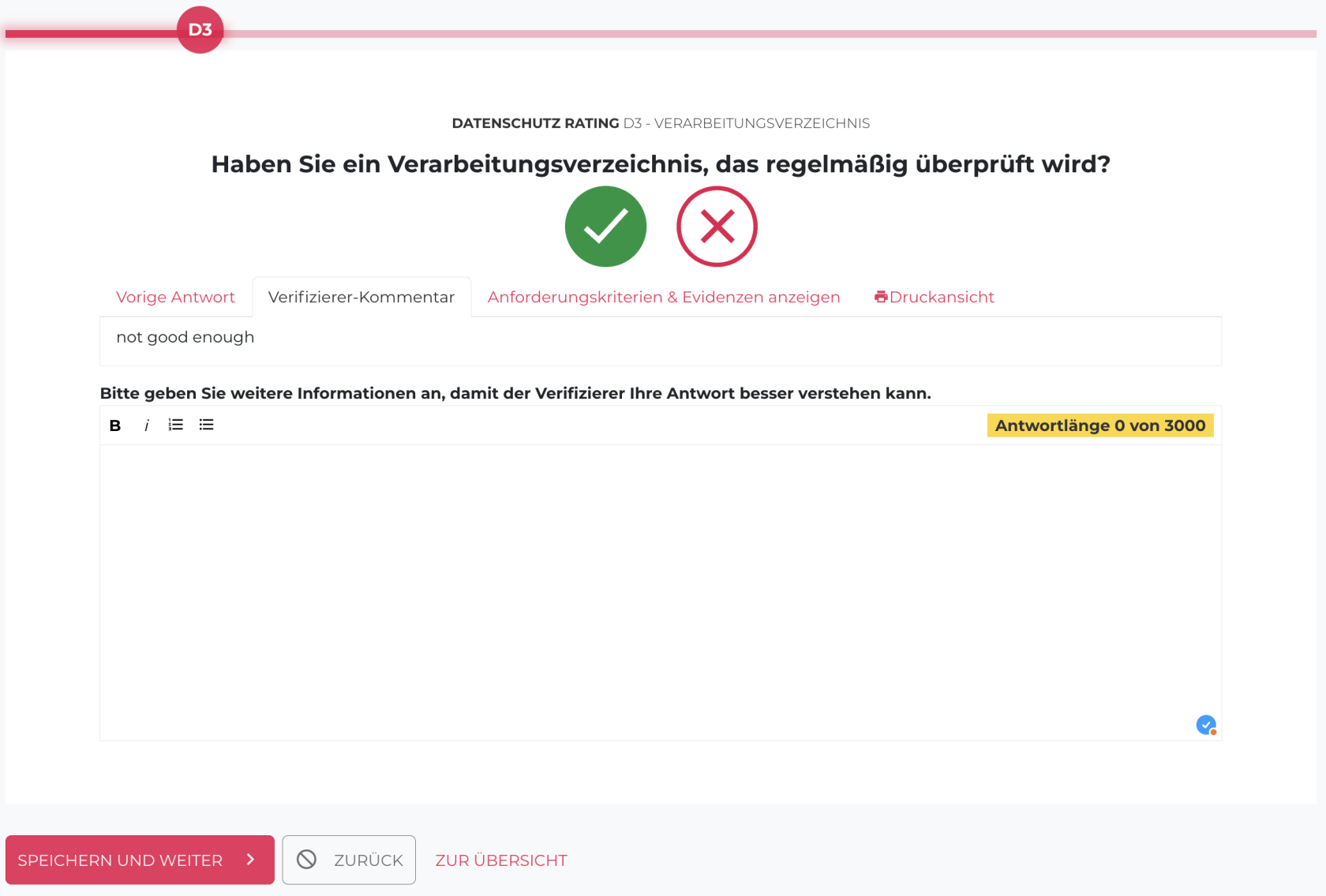](https://docs.nimbusec.com/uploads/images/gallery/2024-06/jddw52d0sSxZw0n7-bildschirmfoto-2024-06-07-um-08-47-19.png)** --- **14: Hier werden alle Fragen aufgelistet, bei denen noch eine weitere Erläuterung notwendig ist** **[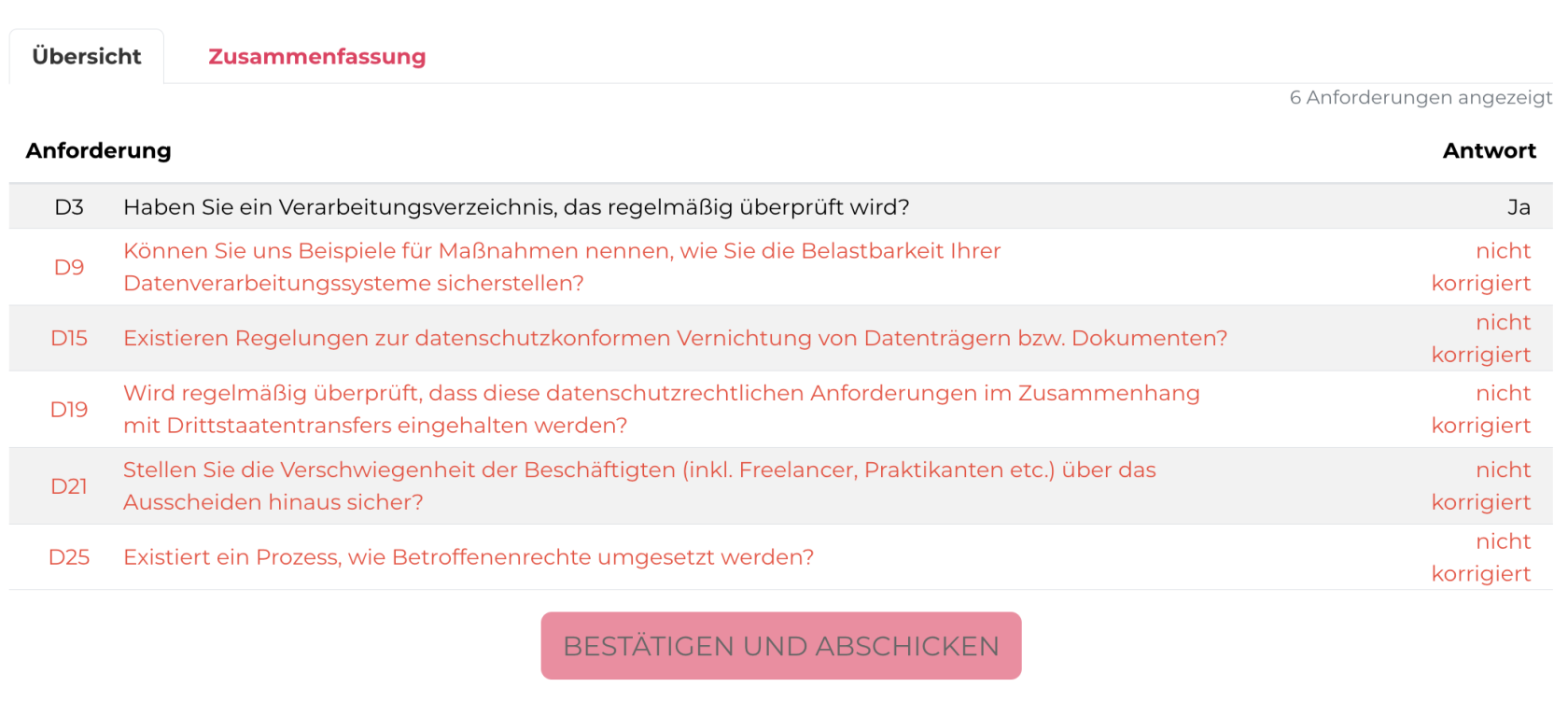](https://docs.nimbusec.com/uploads/images/gallery/2024-06/cKihzGSNTpyUivpj-bildschirmfoto-2024-06-07-um-08-49-06.png)** --- **15: Sobald die Fragen ergänzt wurden, klicken Sie auf den Button "BESTÄTIGEN UND ABSCHICKEN"** **[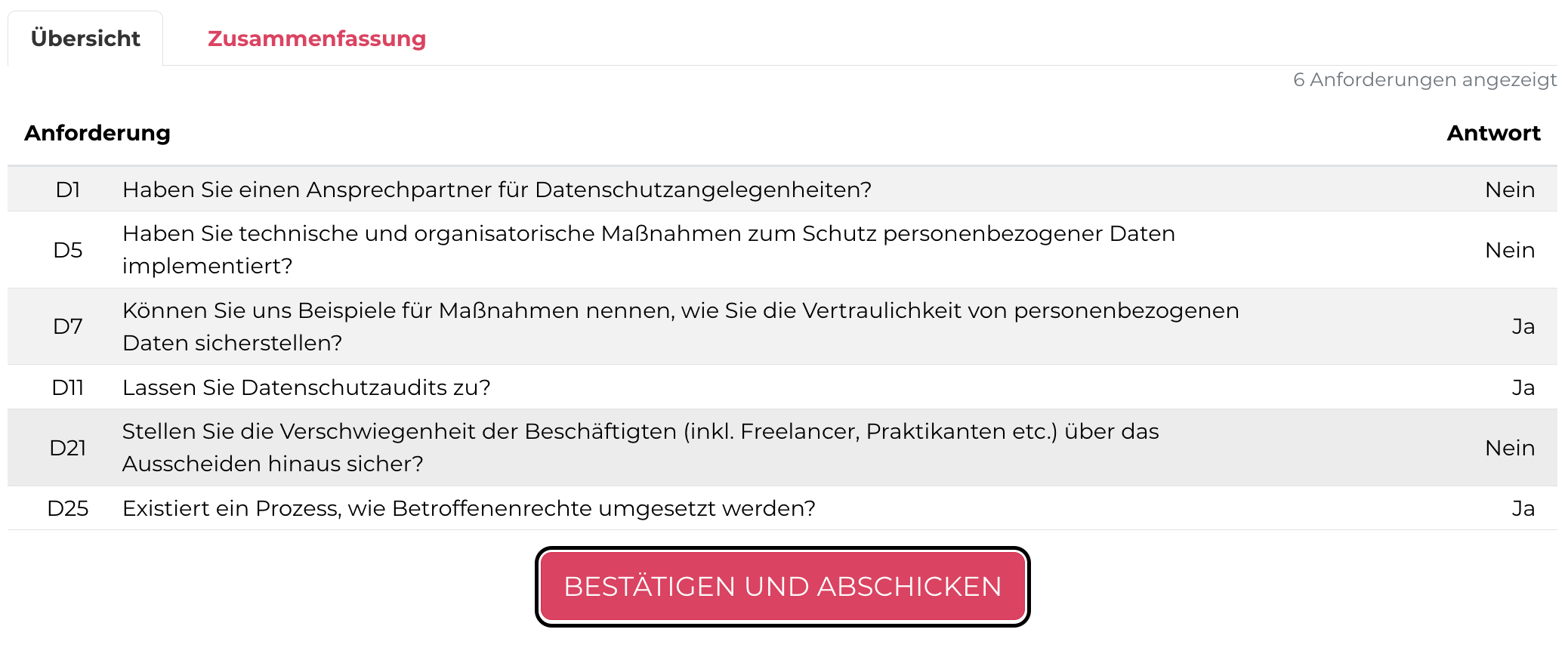](https://docs.nimbusec.com/uploads/images/gallery/2024-06/nJ4MDM9lQ8pL969A-bildschirmfoto-2024-06-07-um-08-50-56.png)** --- #### **Abschluss des Ratings** **16: Um das abgeschlossene Rating auszuwählen, klicken Sie auf den Banner "DAS ASSESSMENT IST ABGESCHLOSSEN. SIE KÖNNEN NUN IHR RATING AUSWÄHLEN"** **[](https://docs.nimbusec.com/uploads/images/gallery/2024-06/ptQheDiYxp7ZlnxC-bildschirmfoto-2024-06-07-um-09-57-18.png)** --- **17: Im nächsten Schritt wird angezeigt, ob das Rating die Mindestanforderungen erfüllt hat oder nicht. Sobald Sie auf "RATING FREIGEBEN UND HERUNTERLADEN" gedrückt haben, ist das Rating abgeschlossen** **[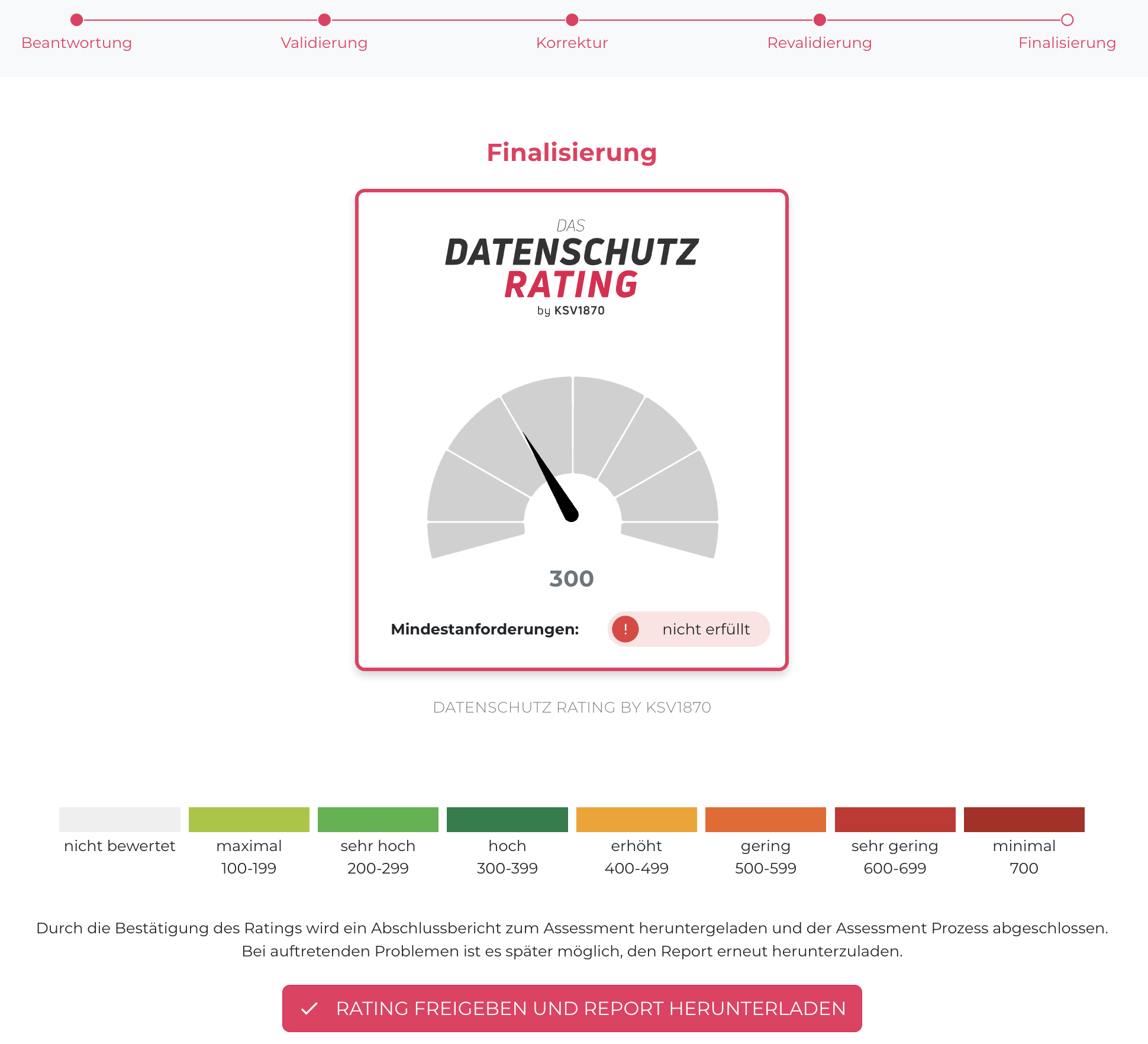](https://docs.nimbusec.com/uploads/images/gallery/2024-06/4jEzbtnp5UfkzKeL-bildschirmfoto-2024-06-07-um-09-16-28.png)** **Achtung: Bewahren Sie den Report unbedingt auf, denn alle Daten werden 2 Wochen nach Rating Abschluss wieder gelöscht!** ---**English version:**
### ***Table of contents*** - **Rating Initiation** - **Answering the Questions** - **Correction Phase** - **Correcting the Responses** - **Rating Completion** --- #### **Rating Initiation** 1. **To start the rating, click on the banner: "A DATA PROTECTION RATING HAS BEEN REQUESTED FOR YOUR COMPANY."** **[](https://docs.nimbusec.com/uploads/images/gallery/2024-06/GdfwvVOHoF7gRwCn-bildschirmfoto-2024-06-07-um-09-24-41.png)** --- **2. Before initiating the rating, it's important to read the instructions for answering the rating. Following the instructions is essential for a smooth process.** **[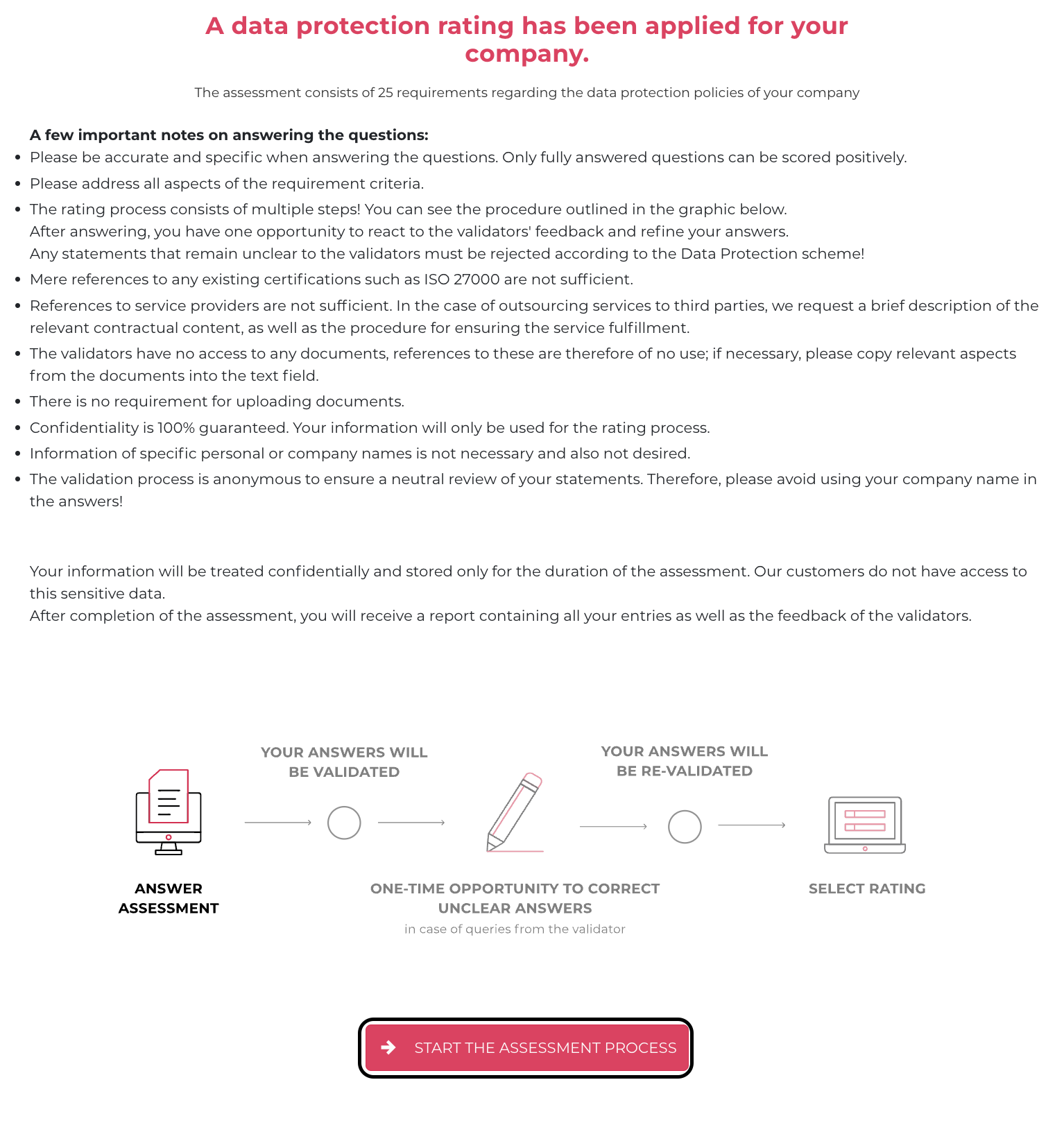](https://docs.nimbusec.com/uploads/images/gallery/2024-06/g3cuBEHO63i665iL-bildschirmfoto-2024-06-07-um-09-26-39.png)** --- **3: To finalize the start of the rating, confirm the examination conditions** **[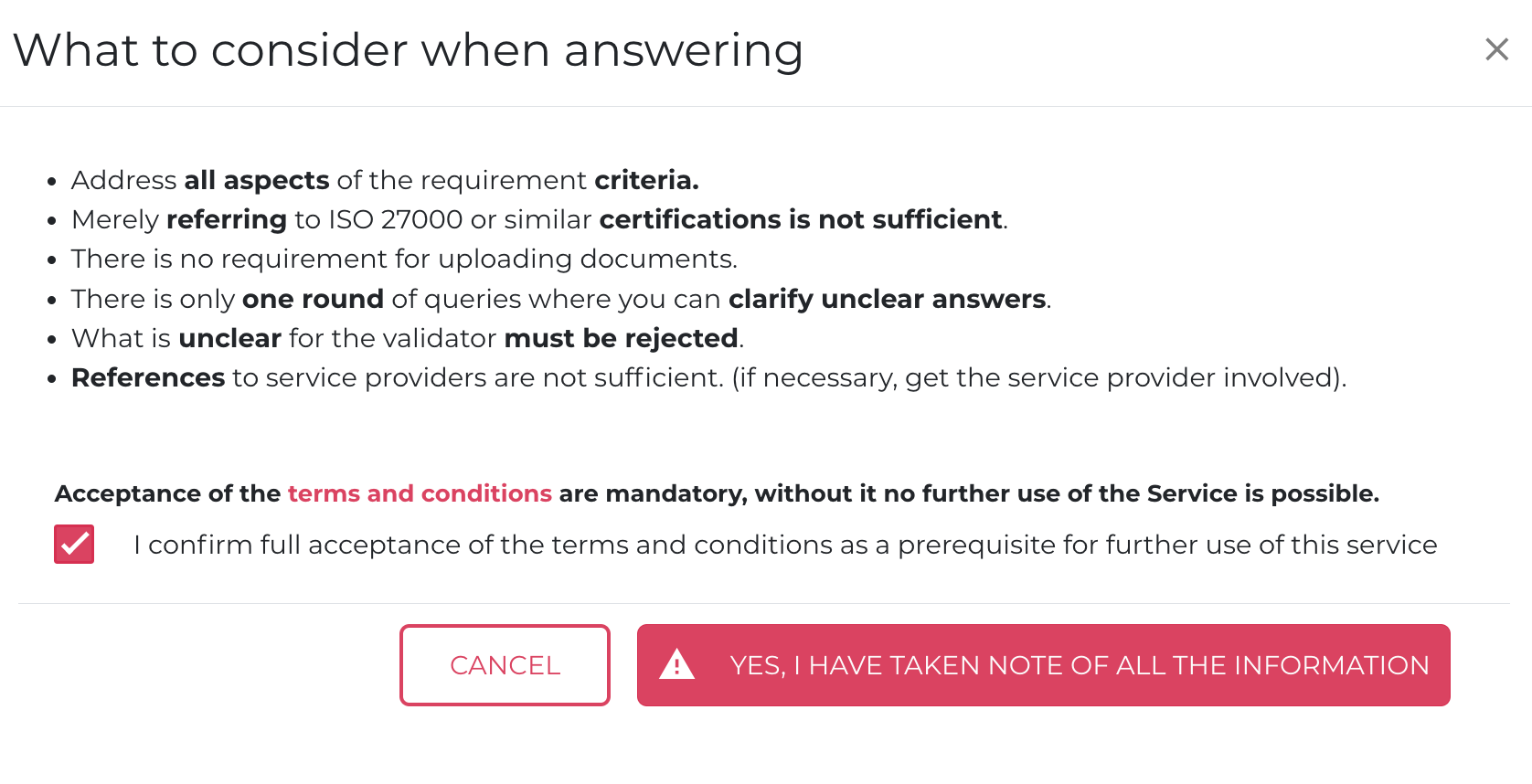](https://docs.nimbusec.com/uploads/images/gallery/2024-06/hHIWmaSszqwCW6Z2-bildschirmfoto-2024-06-07-um-09-29-02.png)** --- ##### **Edit Base-Data** **4: After confirming the examination conditions, enter your company's base data.** [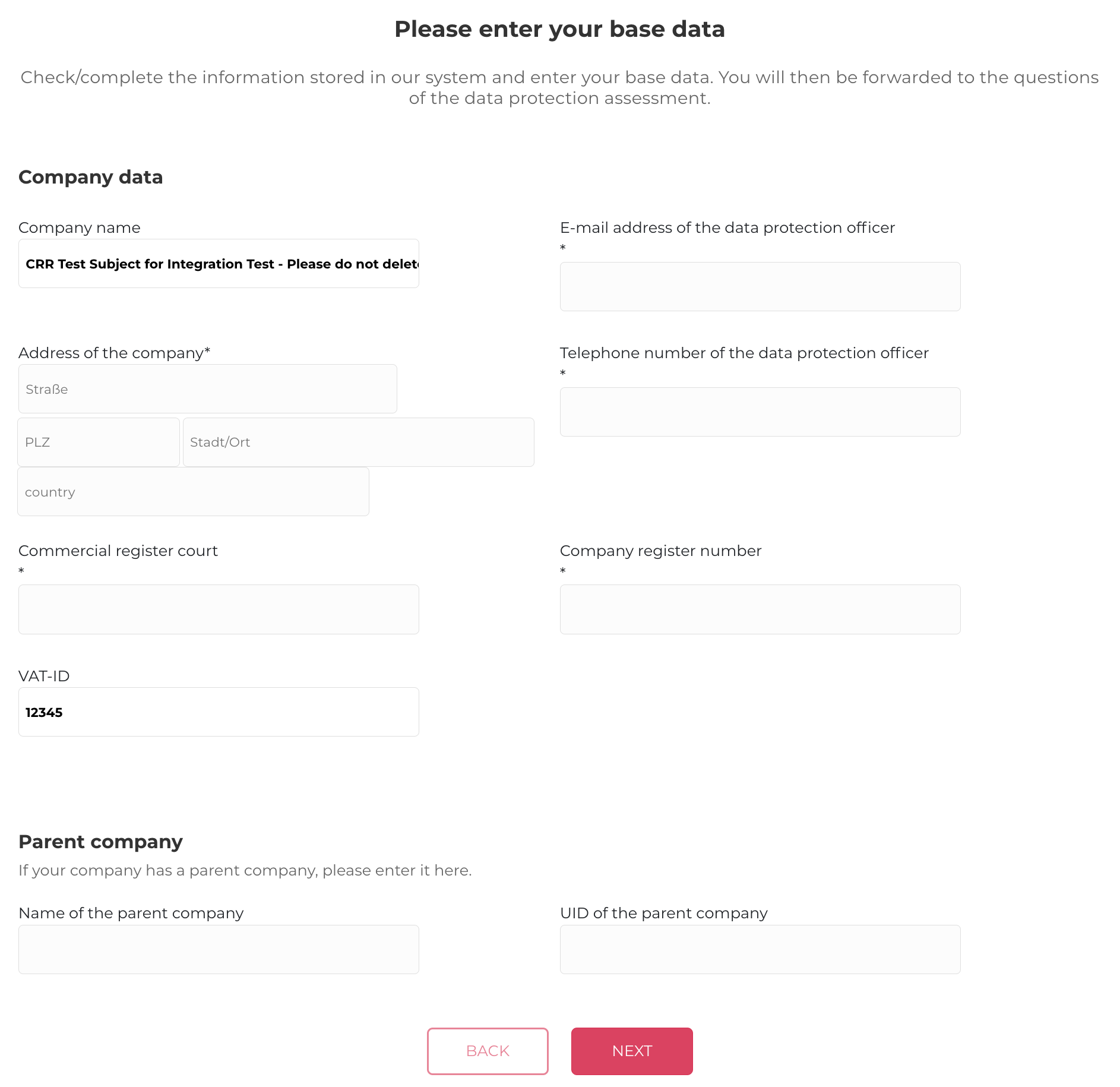](https://docs.nimbusec.com/uploads/images/gallery/2024-06/evA1YSEFoBQ28HHB-bildschirmfoto-2024-06-07-um-10-24-44.png) **5: In the next step, enter the countries in which your company does business.** **[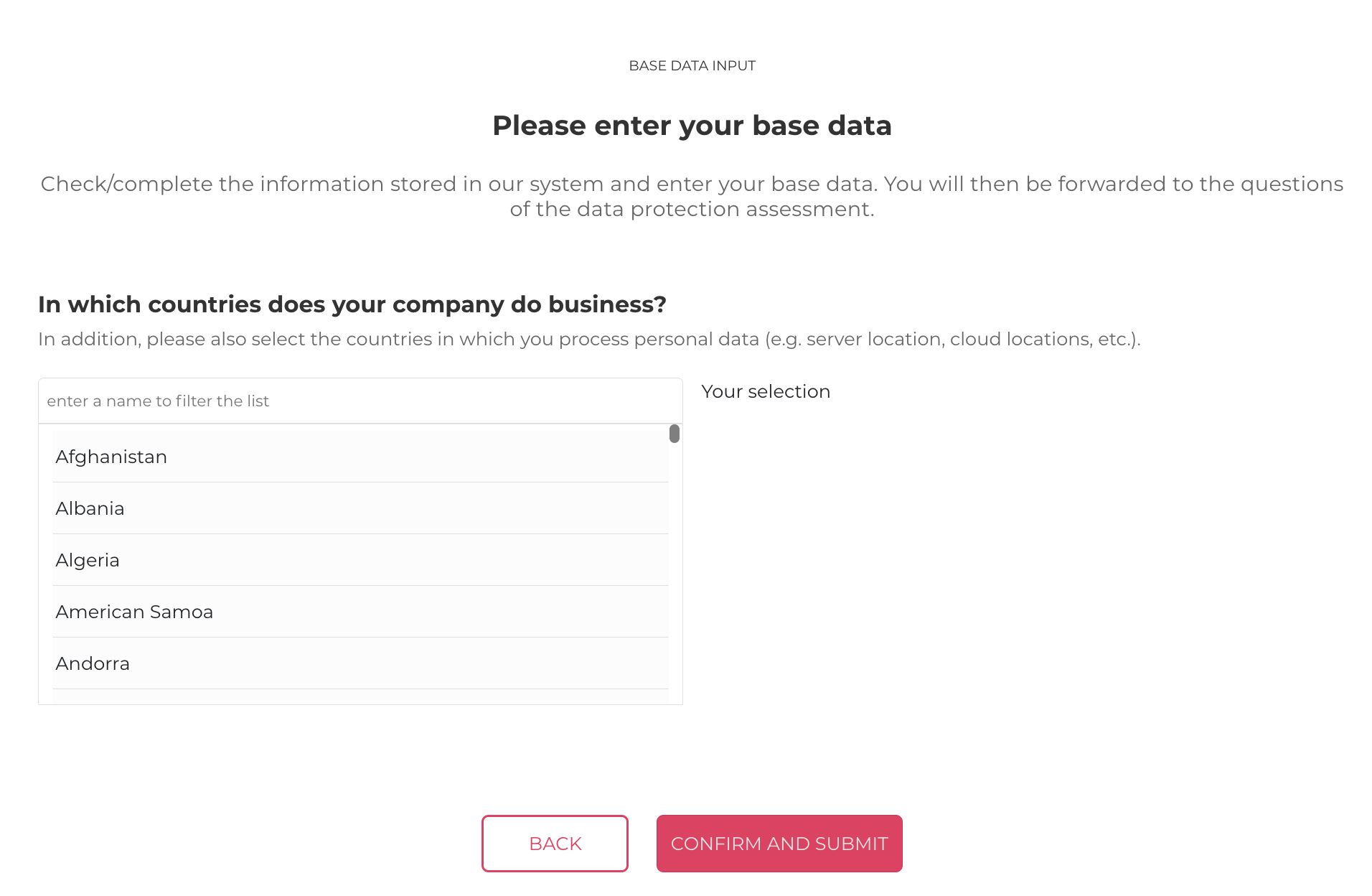](https://docs.nimbusec.com/uploads/images/gallery/2024-06/T2olFXFGqmQLSCsC-bildschirmfoto-2024-06-07-um-10-29-14.png)** --- #### **Answering the Questions** **6: After confirming the examination conditions, you can begin answering the questions. To ensure that the questions are answered properly, please consider the following points:** - No documents, policies, etc., can be uploaded - Answers to the questions should be in your own words and as simple as possible - The response must contain a minimum of 100 characters --- **7: To navigate to an overview of the questions, click on "TO OVERVIEW"** **[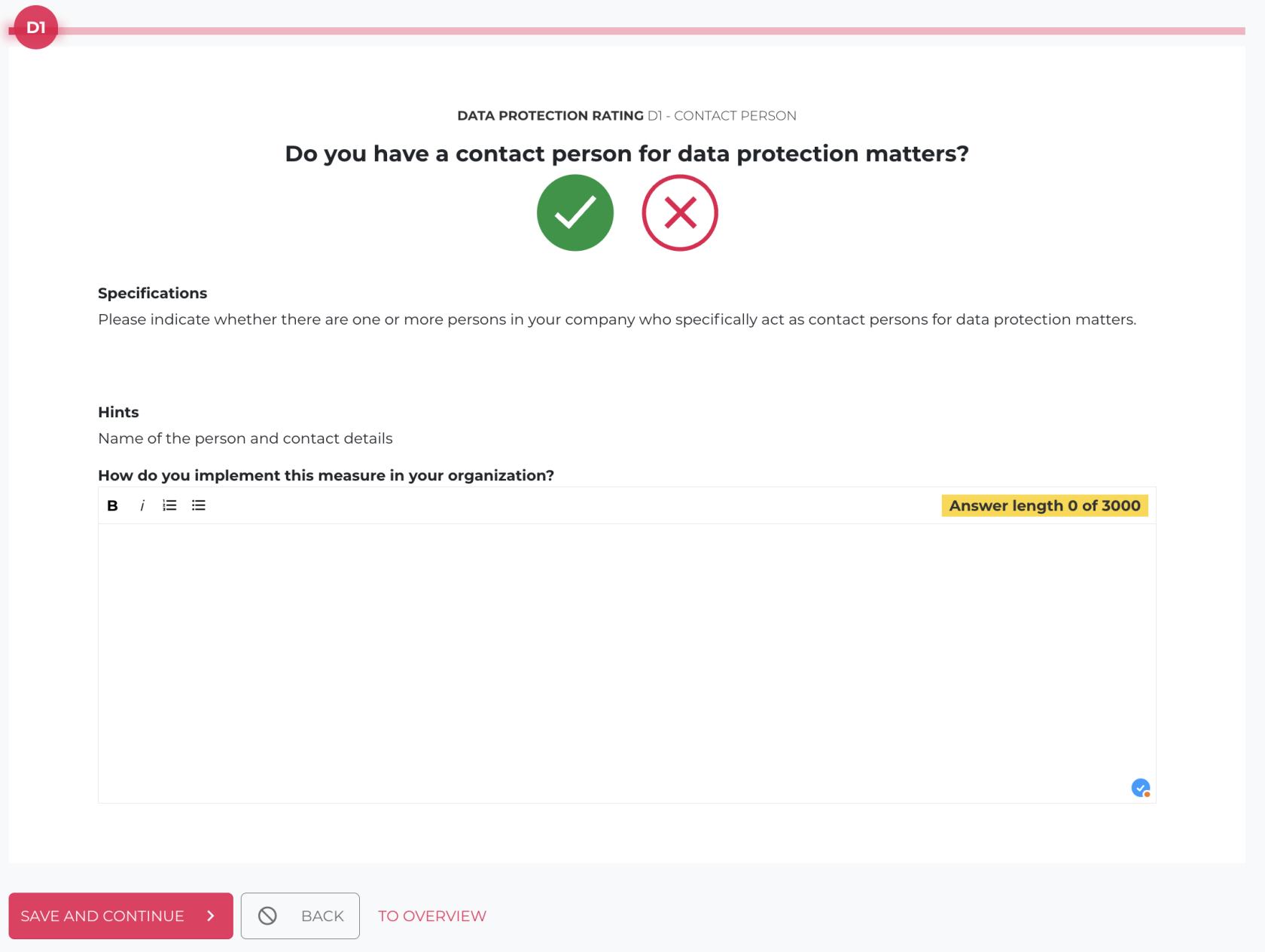](https://docs.nimbusec.com/uploads/images/gallery/2024-06/ppUIKdkjFx57BSVe-bildschirmfoto-2024-06-07-um-09-31-44.png)** --- **8: Here, all 25 questions are listed. By clicking on the desired question, it can be answered** **[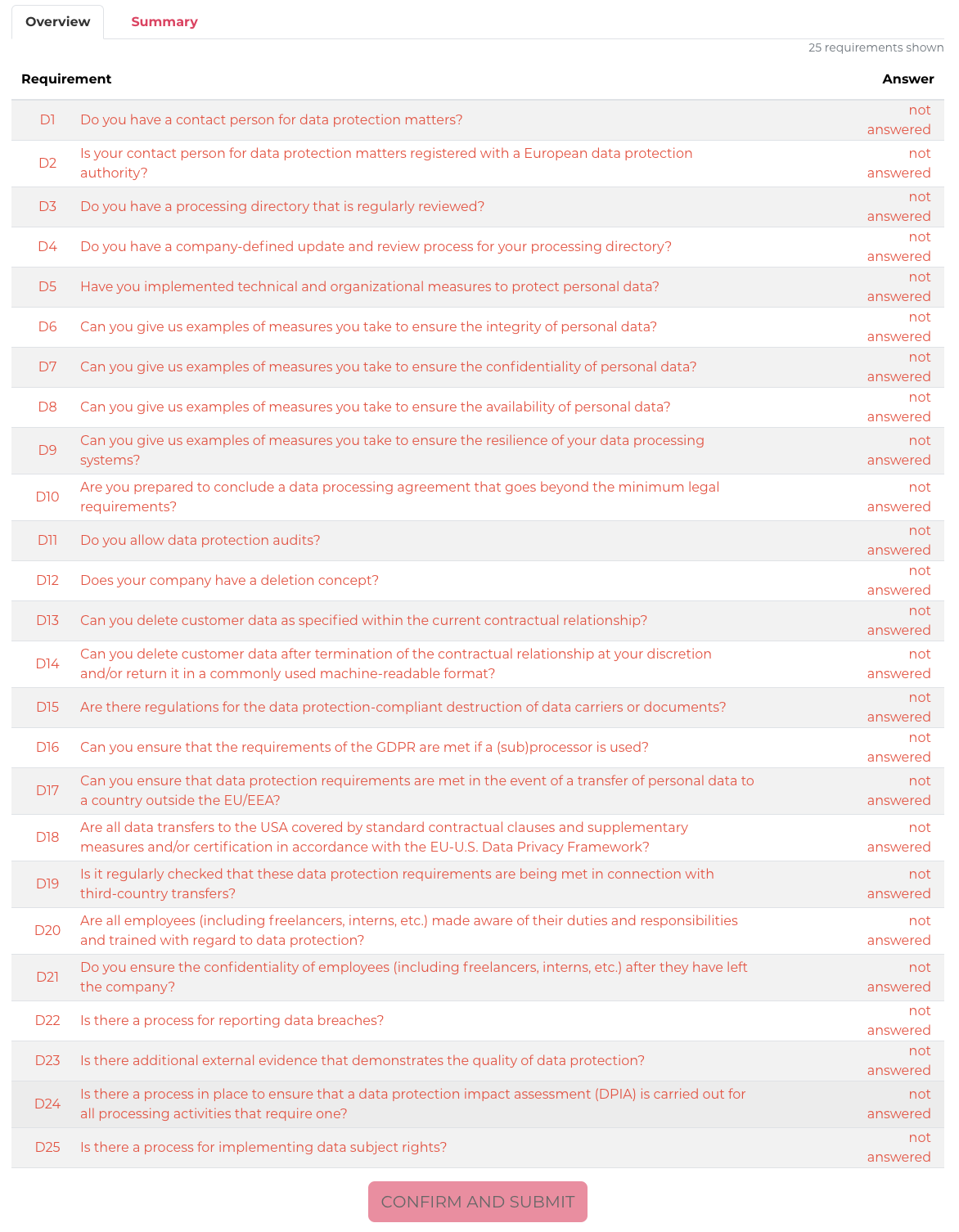](https://docs.nimbusec.com/uploads/images/gallery/2024-06/tNDu6uakNZOhhNKm-bildschirmfoto-2024-06-07-um-09-33-51.png)** --- **9: Once all questions have been answered, click on the "CONFIRM AND SUBMIT" button. Your answers will then be submitted to the validator for the first time** **[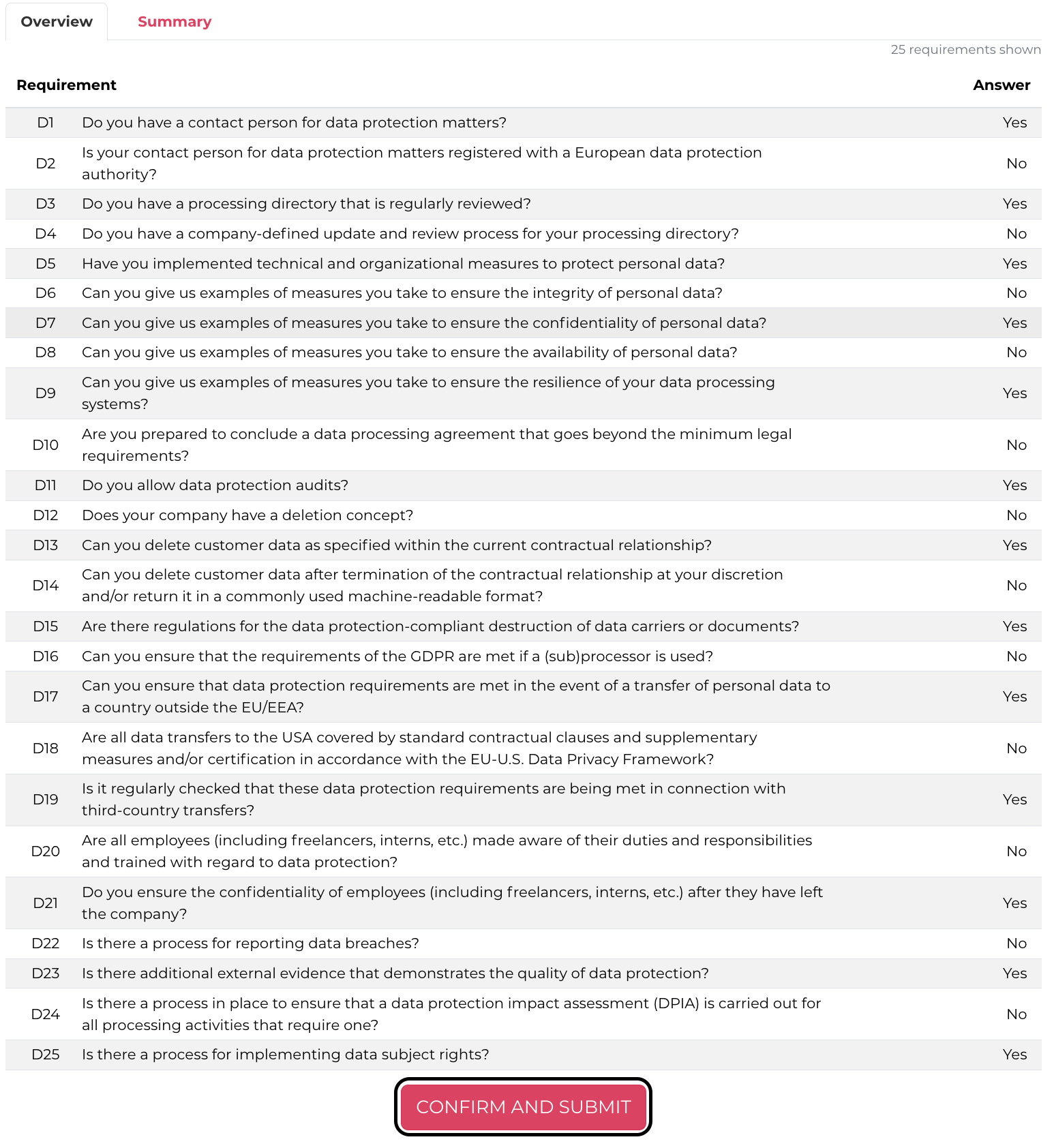](https://docs.nimbusec.com/uploads/images/gallery/2024-06/TL7rADNnGDOGSUjN-bildschirmfoto-2024-06-07-um-09-36-16.png)** --- #### **Correction Phase** **10: To start the correction, click on the banner "PLEASE REVIEW ANY UNCLEAR ANSWERS AND PROVIDE ADDITIONAL CLARIFICATION AS NEEDED."** **[](https://docs.nimbusec.com/uploads/images/gallery/2024-06/dIIDhXmUxGeVgp9R-bildschirmfoto-2024-06-07-um-09-41-23.png)** --- **11: To correct the answers, click on "CORRECT RESPONSES"** **[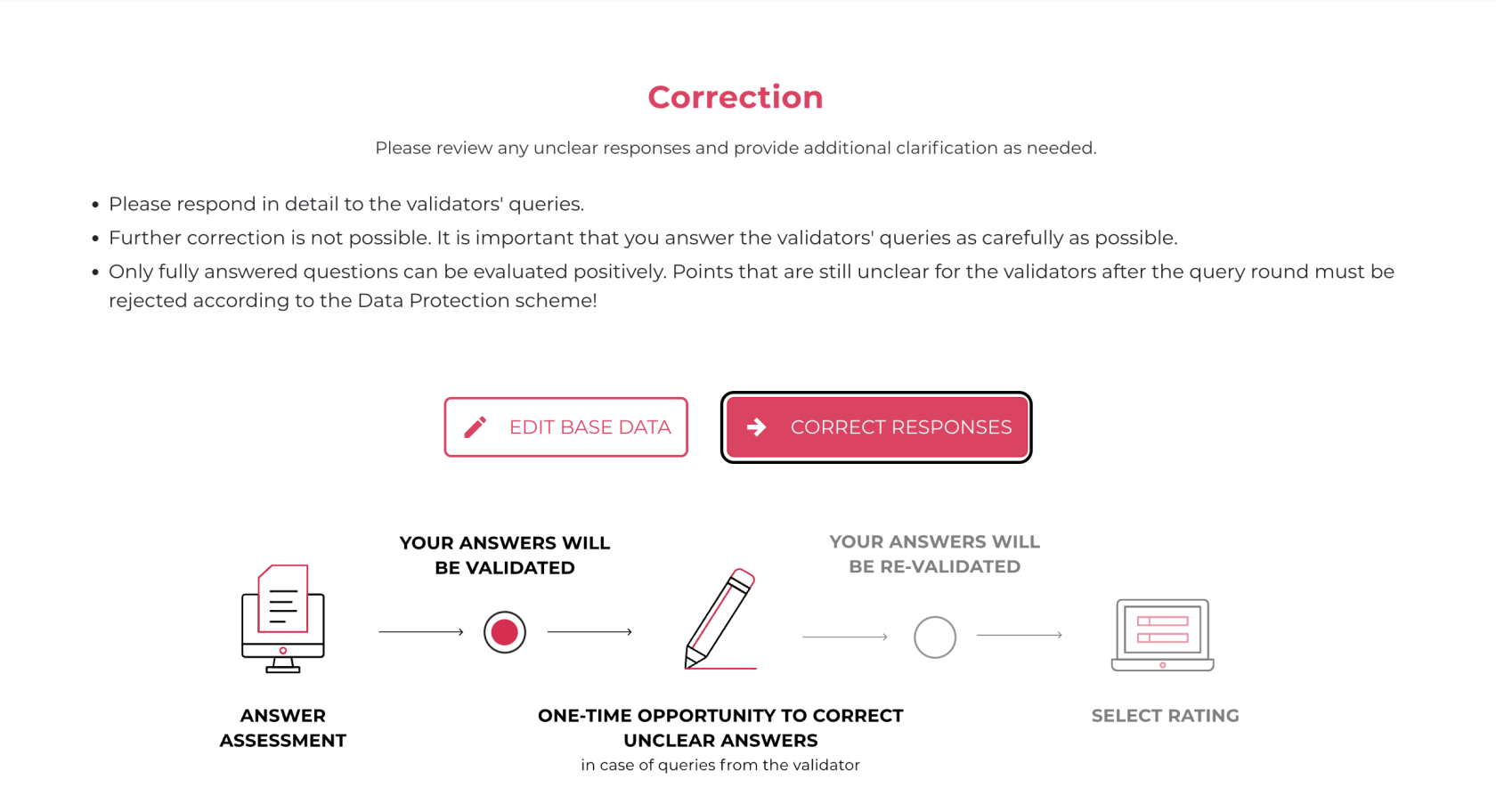](https://docs.nimbusec.com/uploads/images/gallery/2024-06/IaFMBt3RA4zzPkZ9-bildschirmfoto-2024-06-07-um-09-45-25.png)** --- #### **Correcting the Responses** **12: During the correction phase, you have the opportunity to positively influence your rating by supplementing the answers and incorporating feedback from the validator.** - **Previous Answer:** Here is the answer provided in the initial response, visible again - **Validator's Comment:** Feedback and inquiries from the validator - **View Requirements & Evidence:** The requirements of each question can be reviewed here again --- **13: To access an overview of the questions, click on "TO OVERVIEW"** **[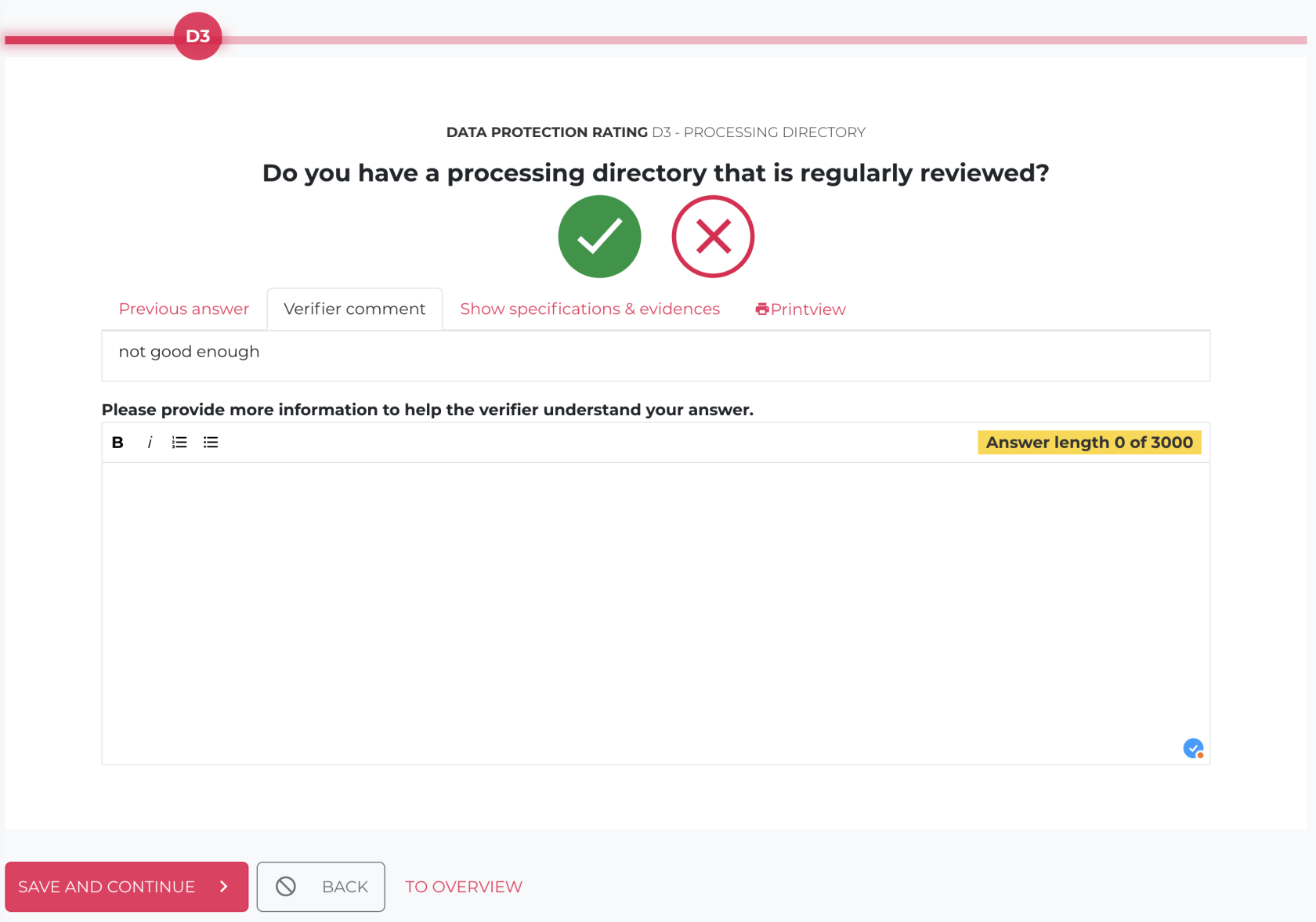](https://docs.nimbusec.com/uploads/images/gallery/2024-06/jFCcgcuDhRd7fhvS-bildschirmfoto-2024-06-07-um-09-39-32.png)** --- **14: Here all questions are listed for which further explanation is required** **[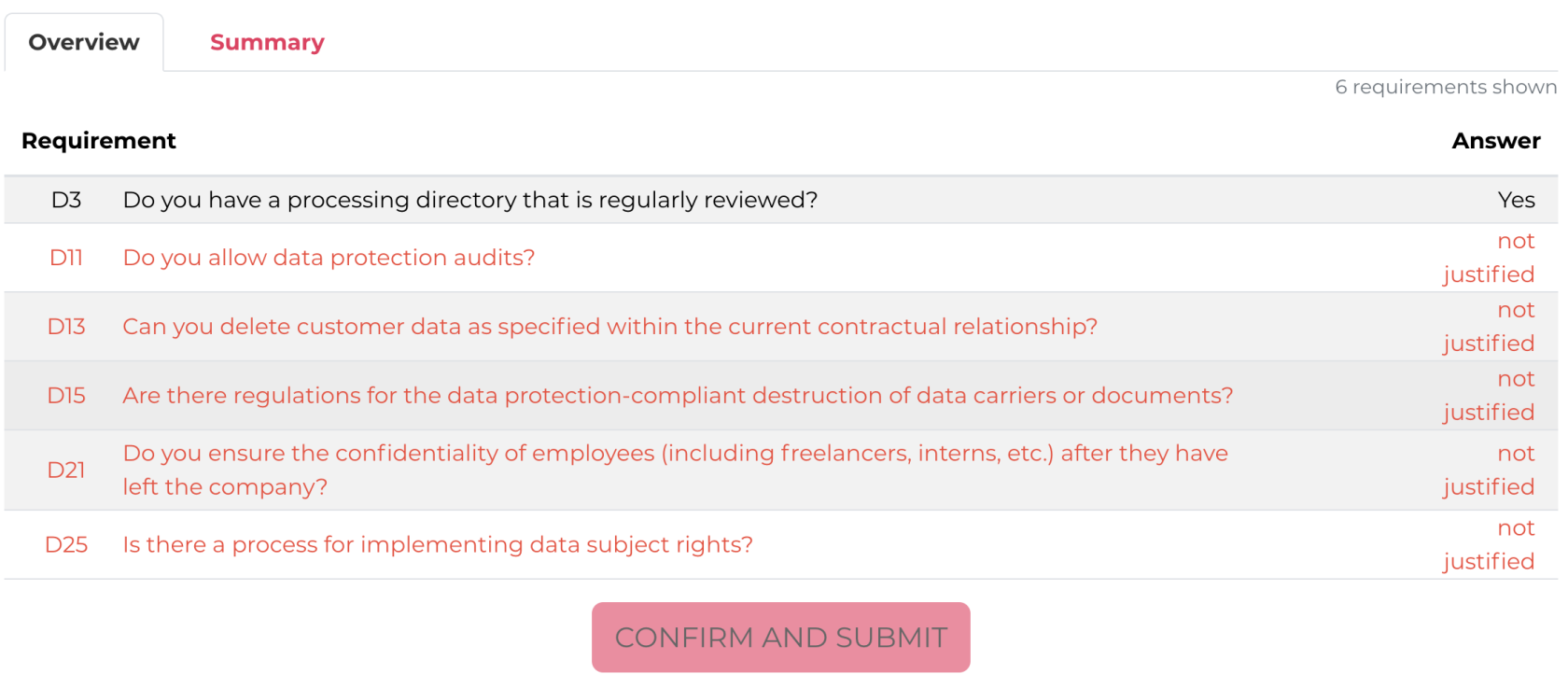](https://docs.nimbusec.com/uploads/images/gallery/2024-06/VK5G2X1AFPhXRIbq-bildschirmfoto-2024-06-07-um-09-48-03.png)** --- **15: Once the questions have been supplemented, click on the "CONFIRM AND SUBMIT" button** [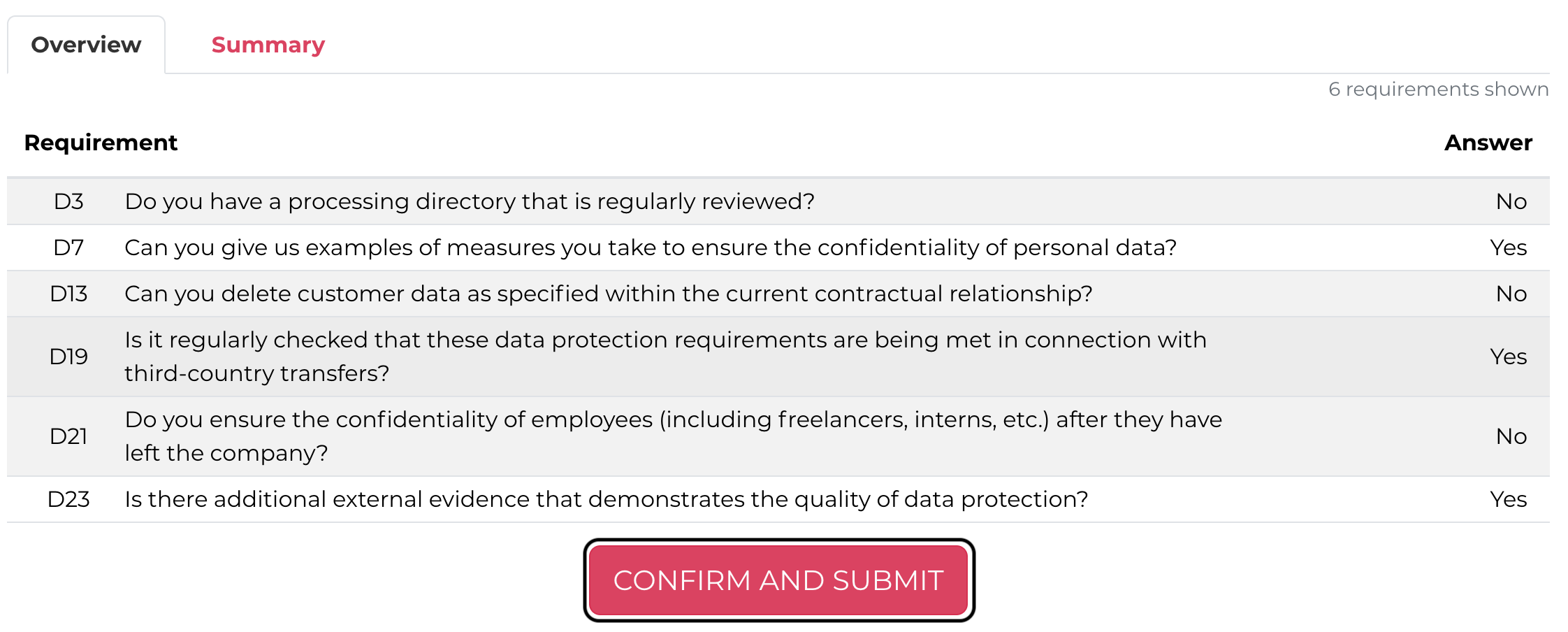](https://docs.nimbusec.com/uploads/images/gallery/2024-06/cZgbhT8HixNoWbDS-bildschirmfoto-2024-06-07-um-09-52-26.png) --- #### **Rating Completion** **16: To select the completed rating, click on the banner "THE ASSESSMENT IS COMPLETED, YOU CAN NOW SELECT YOUR RATING."** **[](https://docs.nimbusec.com/uploads/images/gallery/2024-06/9Fmr0JOT20wtKmQh-bildschirmfoto-2024-06-07-um-09-56-26.png)** --- **17: In the next step, it will be shown if the minimum requirements are fullfilled or not. The rating process is completed, as soon as the "FINISH RATING AND DOWNLOAD REPORT" button is pressed.** **[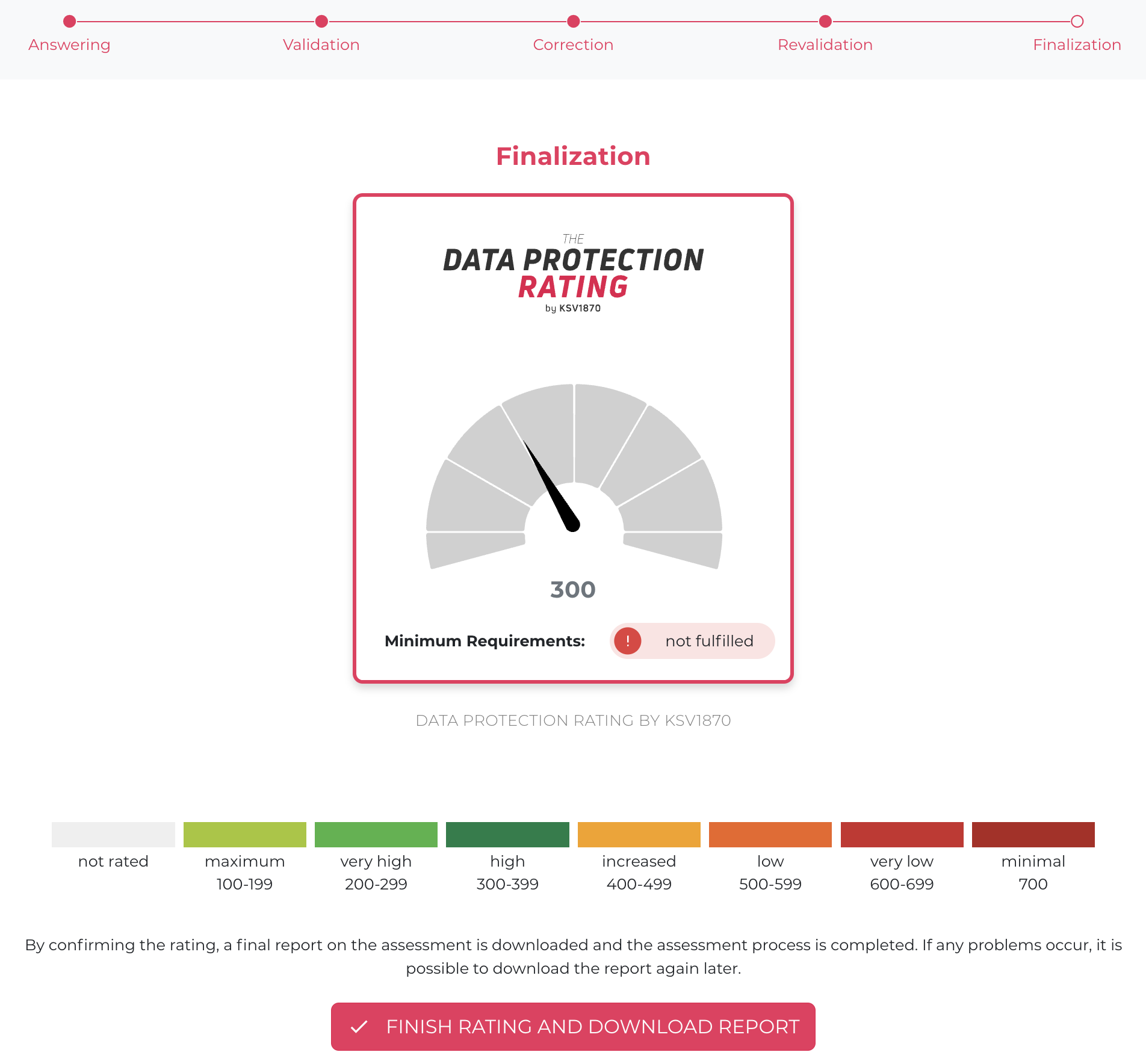](https://docs.nimbusec.com/uploads/images/gallery/2024-06/Q6AMaOF1q4QsPNDD-bildschirmfoto-2024-06-07-um-09-59-27.png)** **Attention: Be sure to keep the report, as all data will be deleted 2 weeks after the rating is completed!** ---