***English version down below***
### ***Inhaltsverzeichnis*** - **Start des Ratings** - **Beantwortung der Fragen** - **Korrekturphase** - **Korrigieren der Antworten** - **Abschluss des Ratings** --- #### **Start des Ratings** **1: Um das Rating zu starten, klicken Sie auf den Banner "FÜR IHR UNTERNEHMEN WURDE EIN CYBERRISK RATING BEANTRAGT"** [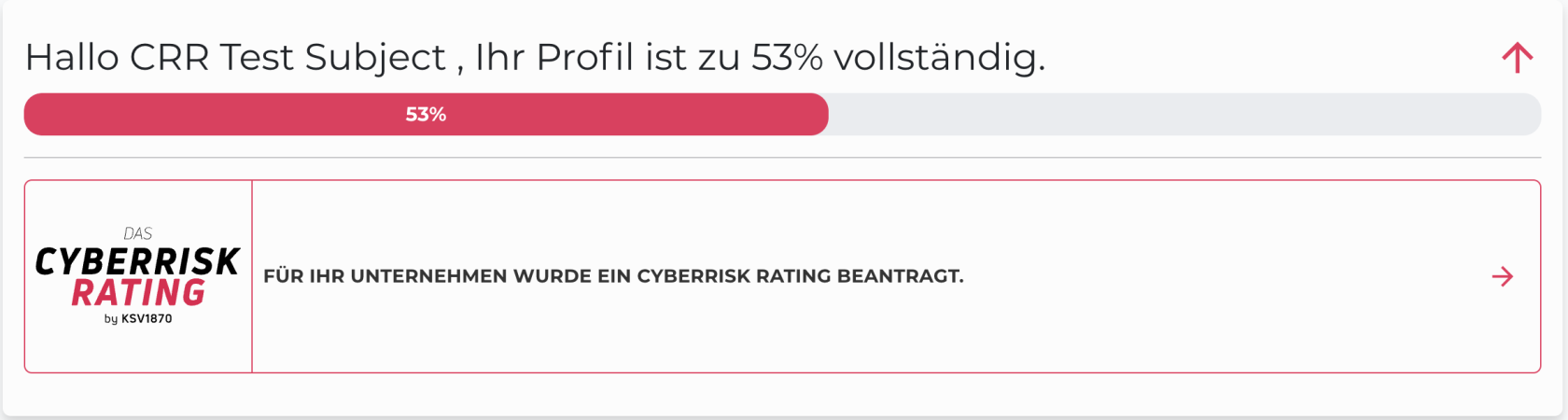](https://docs.nimbusec.com/uploads/images/gallery/2024-05/8ofw0Lpu5SVm02sk-image.png) --- **2: Bevor das Rating gestartet werden kann, ist es wichtig, die Hinweise für die Beantwortung des Ratings zu lesen. Die Befolgung der Hinweise ist für einen Reibungslosen Ablauf unumgänglich** [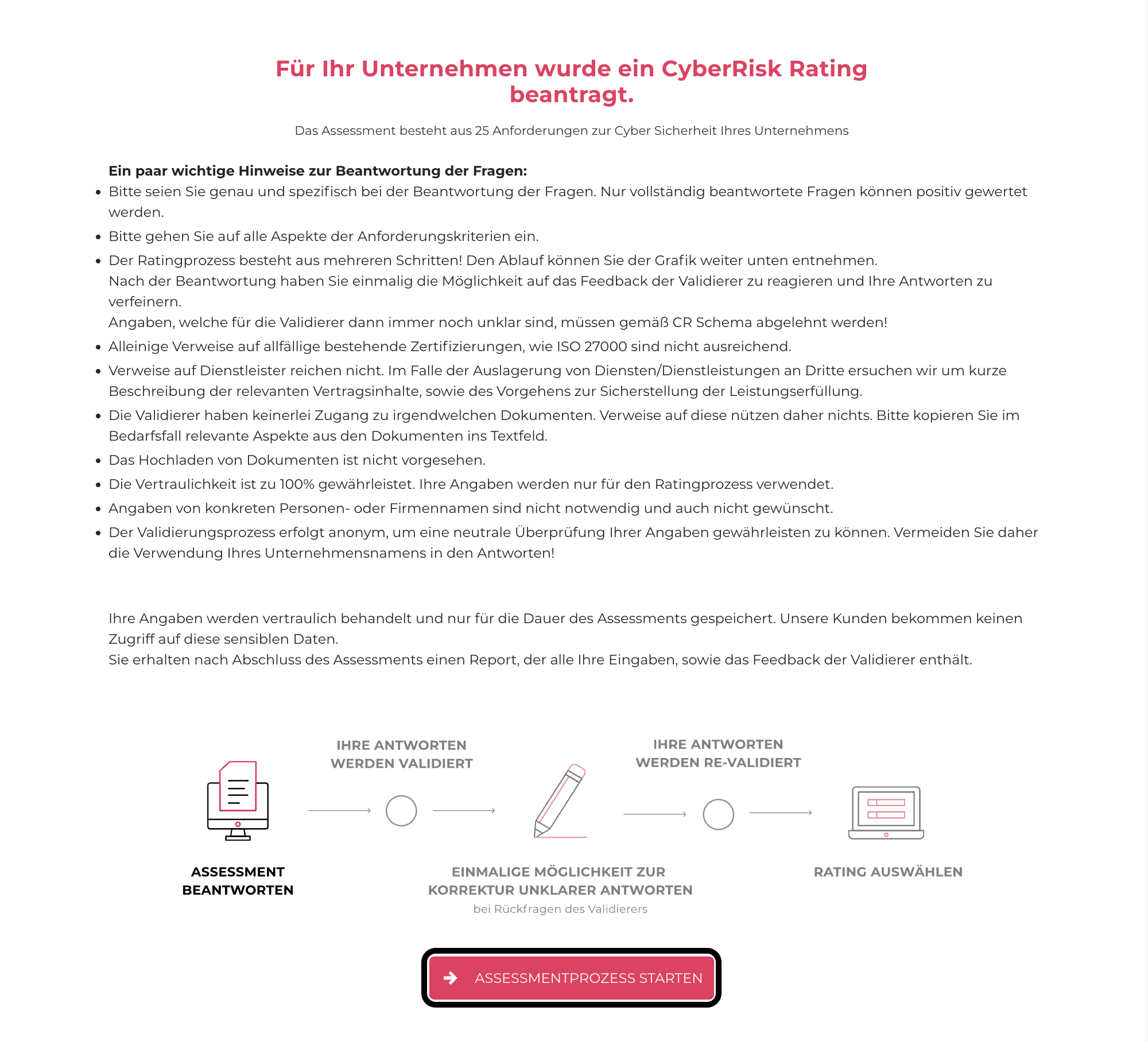](https://docs.nimbusec.com/uploads/images/gallery/2024-05/GFAB74I1KP8O0JPS-bildschirmfoto-2024-05-07-um-15-36-37.png) --- **3: Um final mit dem Rating zu starten, bestätigen Sie die Prüfungsbedingungen** [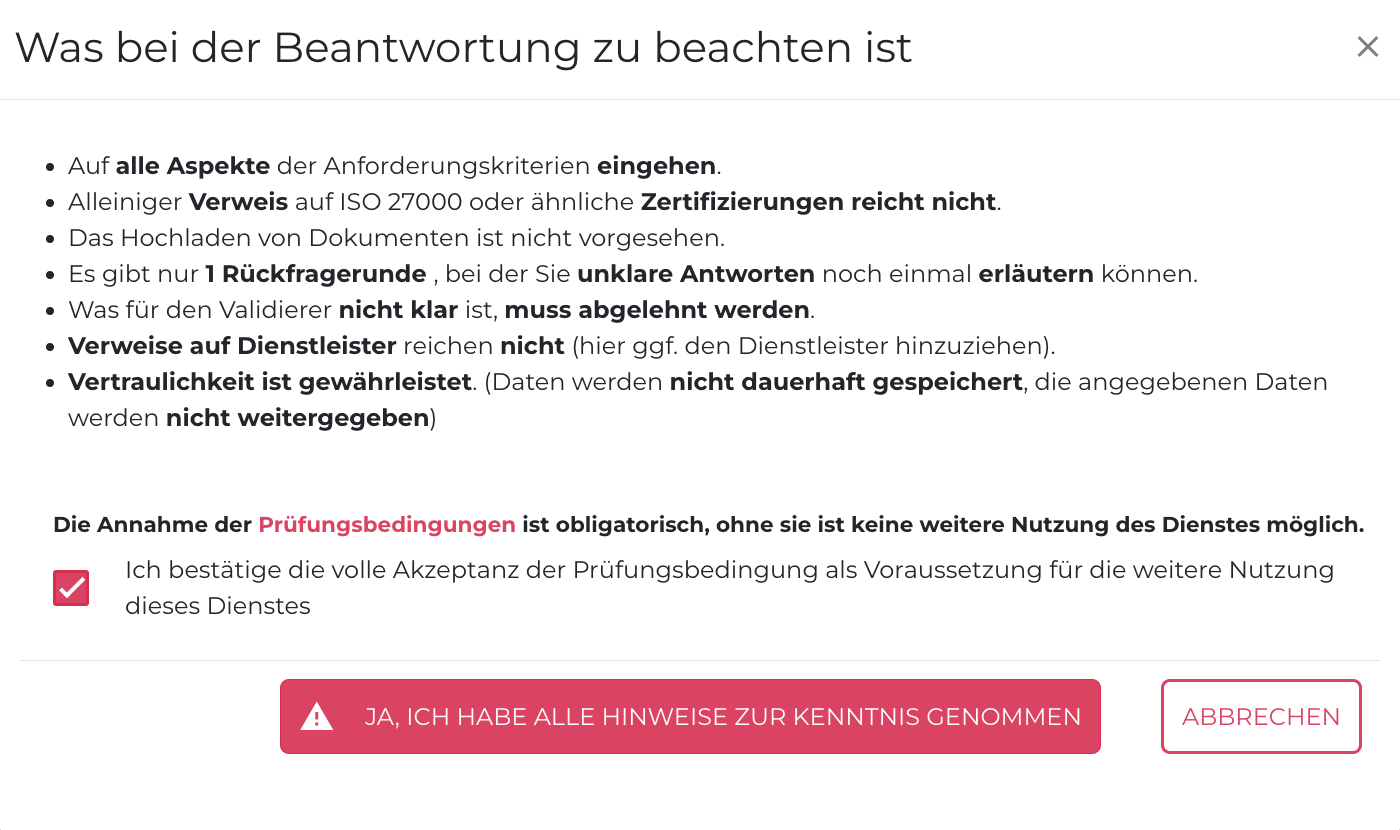](https://docs.nimbusec.com/uploads/images/gallery/2024-05/uz0AHWkMo4mxwmlT-bildschirmfoto-2024-05-07-um-16-17-22.png) --- #### **Beantwortung der Fragen** **4: Nach Bestätigung der Prüfungsbedingungen, können Sie mit dem Beantworten der Fragen starten. Um die Beantwortungen der Fragen gut durchführen zu können, beachten Sie bitte folgende Punkte:** - Es können keine Dokumente, Policy, etc. hochgeladen werden - Die Beantwortung der Fragen soll in eigenen Worten und so einfach wie möglich durchgeführt werden - Die Antwort muss eine Mindestzeichenanzahl von 100 enthalten --- **5: Um zu einer Übersicht der Fragen zu gelangen, klicken Sie auf "ZUR ÜBERSICHT"** **[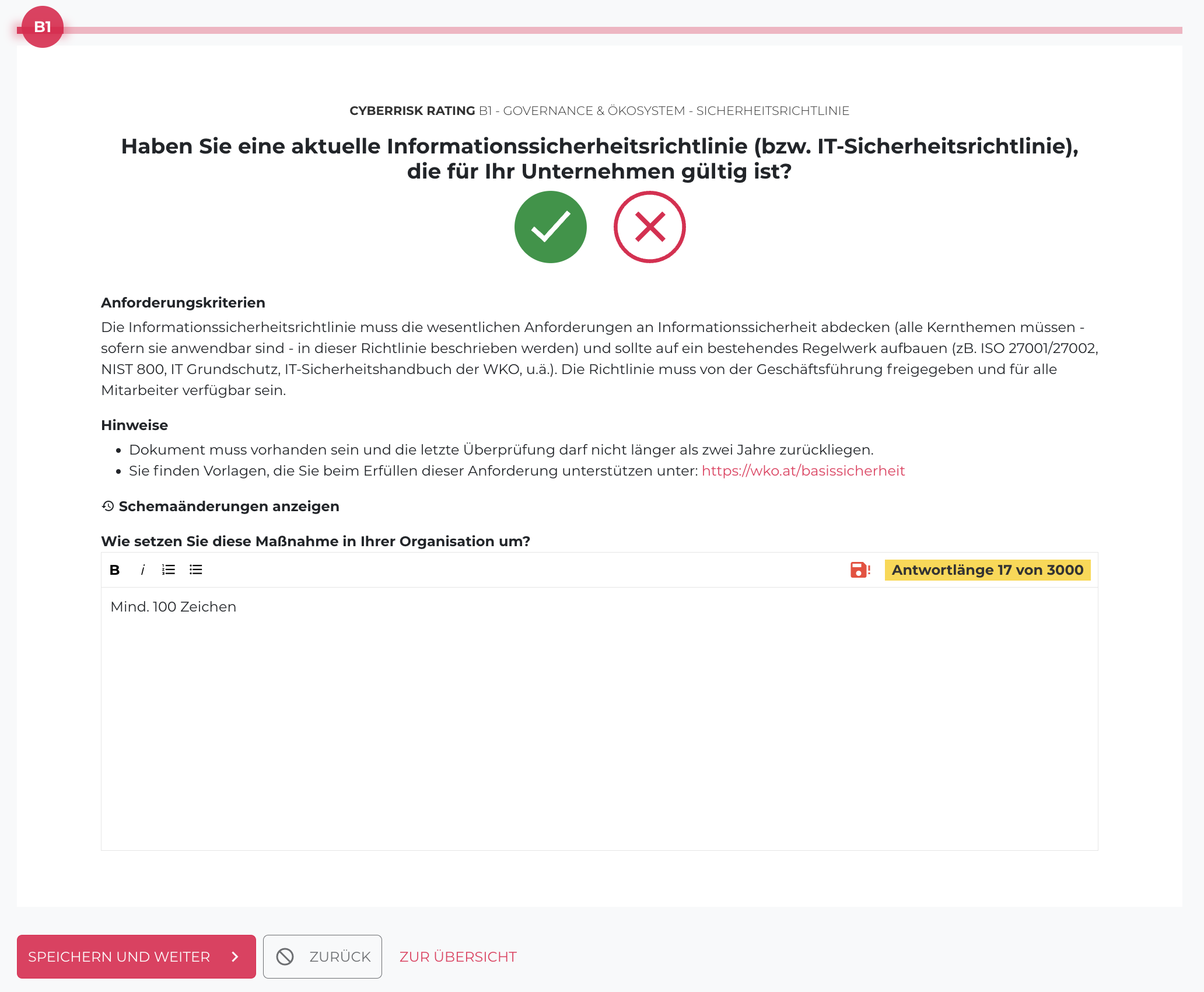](https://docs.nimbusec.com/uploads/images/gallery/2024-05/lN610O6gtSUHeKXx-bildschirmfoto-2024-05-07-um-16-25-58.png)** --- **6: Hier werden alle 25 Fragen aufgelistet. Durch einen Klick auf die gewünschte Fragen kann diese beantwortet werden** 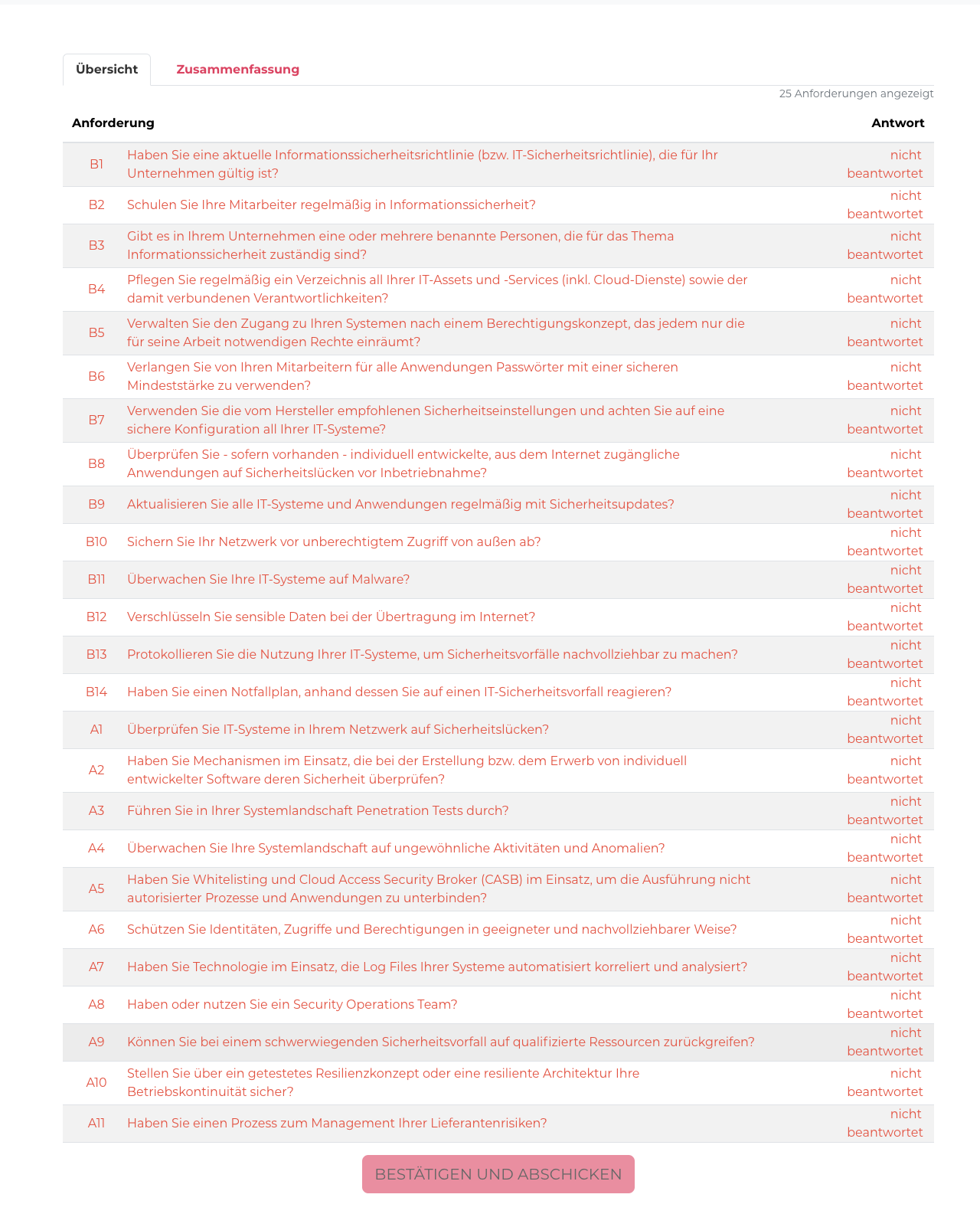 --- **7: Sobald alle Fragen beantwortet worden sind, klicken Sie auf den Button "BESTÄTIGEN UND ABSCHICKEN". Ihre Antworten werden dann das erste Mal an den Validierer übermittelt** [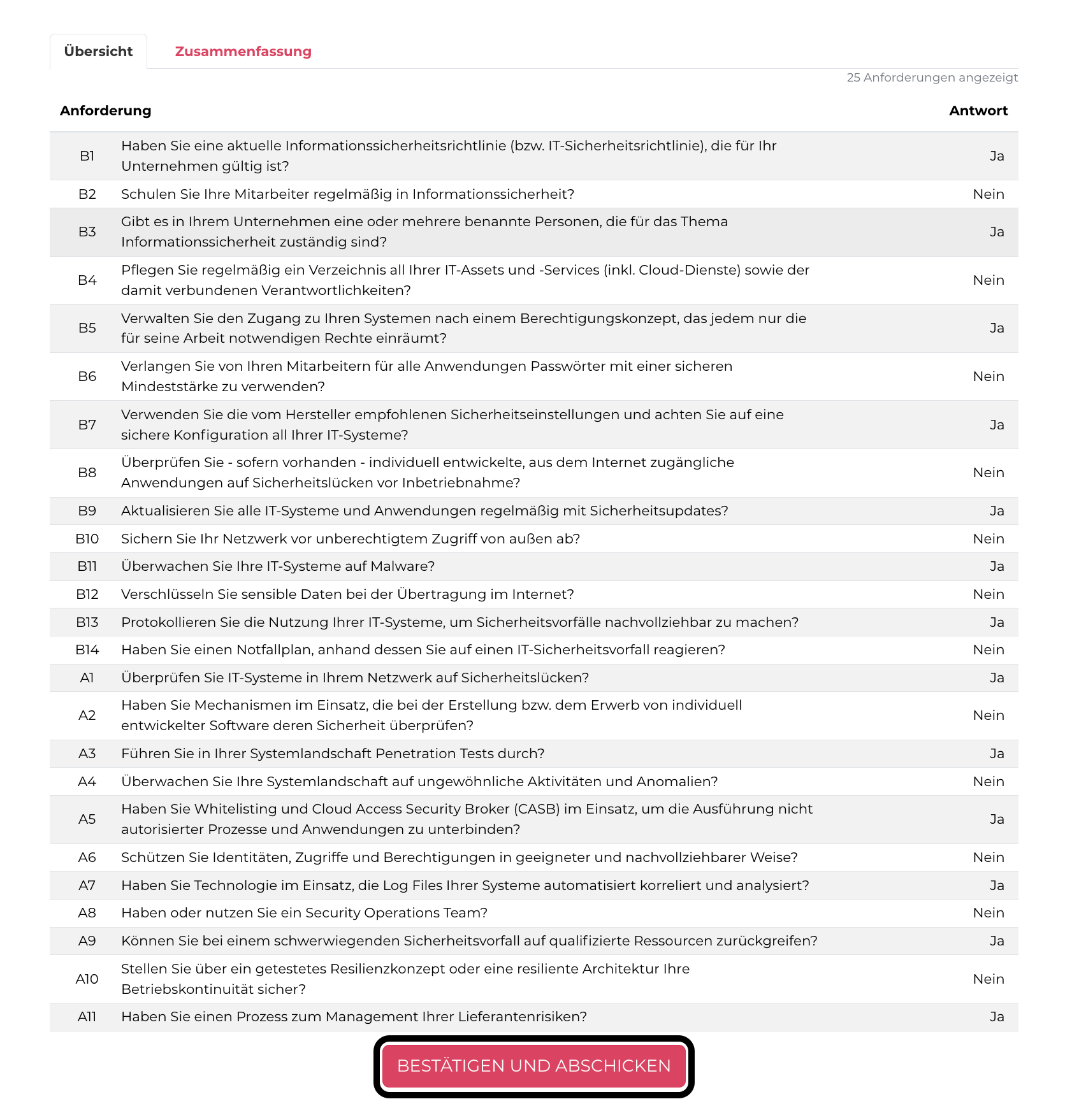](https://docs.nimbusec.com/uploads/images/gallery/2024-05/DisNKaOxsmwhWzQD-bildschirmfoto-2024-05-08-um-10-43-57.png) --- #### **Korrekturphase** **8: Um die Korrektur zu starten, klicken Sie auf den Banner "BITTE ÜBERPRÜFEN SIE ALLE UNKLAREN ANTWORTEN UND GEBEN SIE BEI BEDARF ZUSÄTZLICHE ERLÄUTERUNGEN AN"** [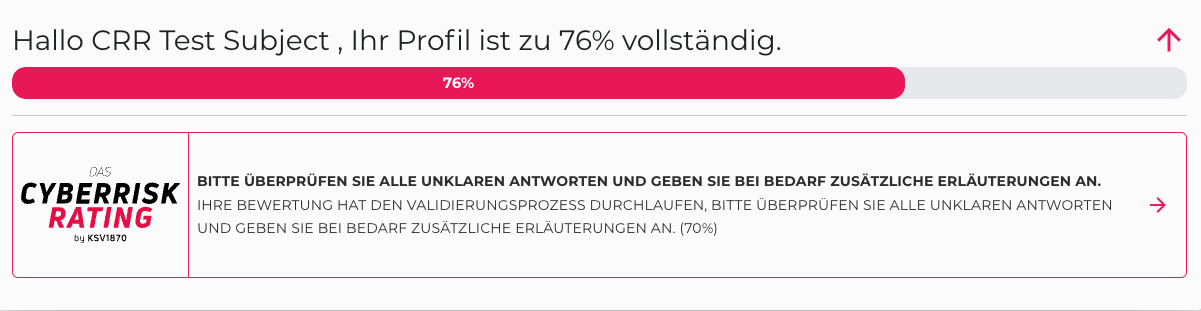](https://docs.nimbusec.com/uploads/images/gallery/2024-05/caS0s30IQWeQZNLF-image.png) --- **9: Um die Antworten zu korrigieren, klicken Sie auf "ANTWORTEN KORRIGIEREN"** [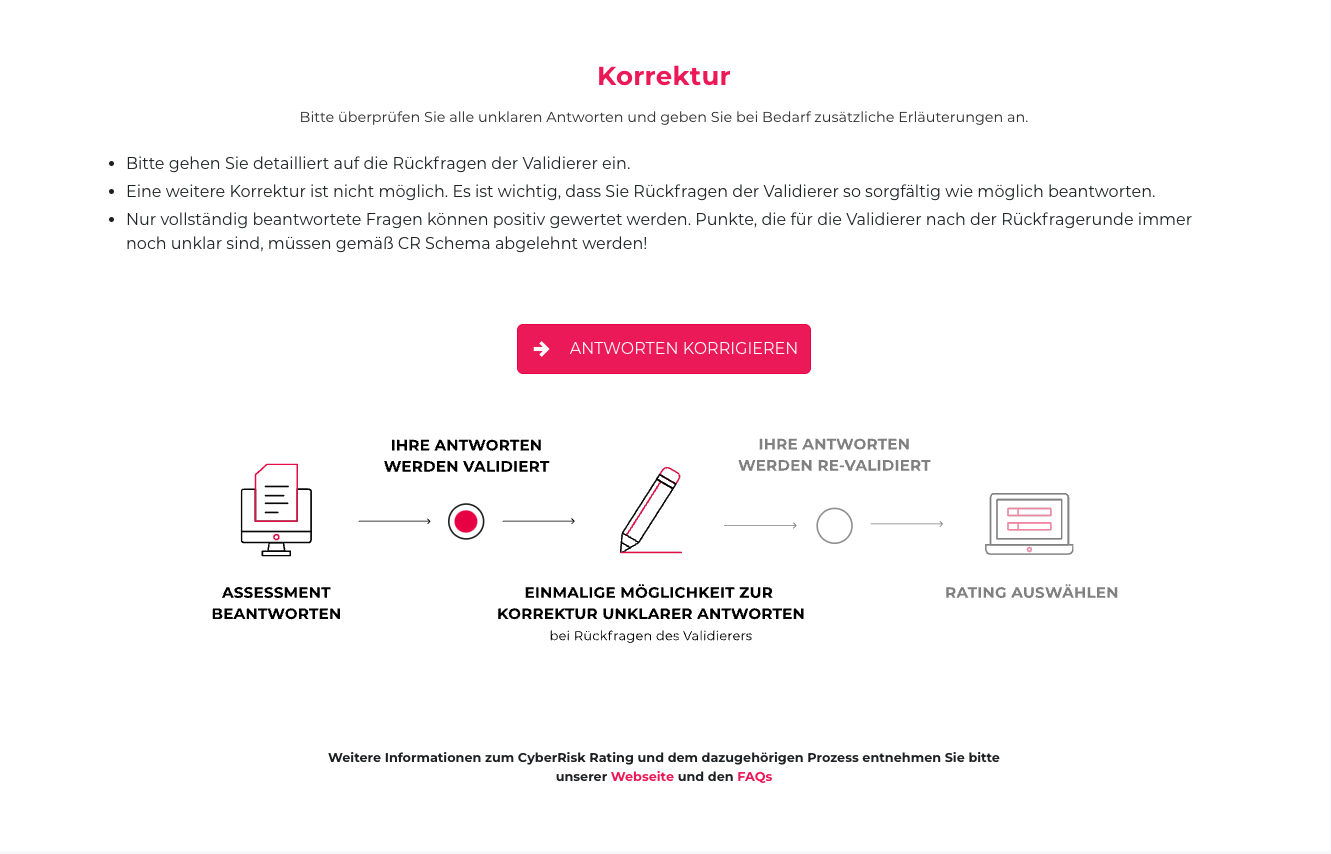](https://docs.nimbusec.com/uploads/images/gallery/2024-05/QY1GyPQCldNjUnjR-image.png) --- #### **Korrigieren der Antworten** **10: In der Korrekturphase haben Sie die Möglichkeit Ihr Rating durch Ergänzungen der Antworten & Feedback des Validierer, positiv zu beeinflussen** - **Vorige Antwort:** Hier ist die Antwort, die in der Erstbeantwortung gegeben war, nochmals ersichtlich - **Verifizierer-Kommentar:** Feedback und Rückfragen des Validierers - **Anforderungen & Evidenz anzeigen:** Die Anforderungen der jeweiligen Frage sind hier nochmal abrufbar --- **11: Um zu einer Übersicht der Fragen zu gelangen, klicken Sie auf "ZUR ÜBERSICHT"** **[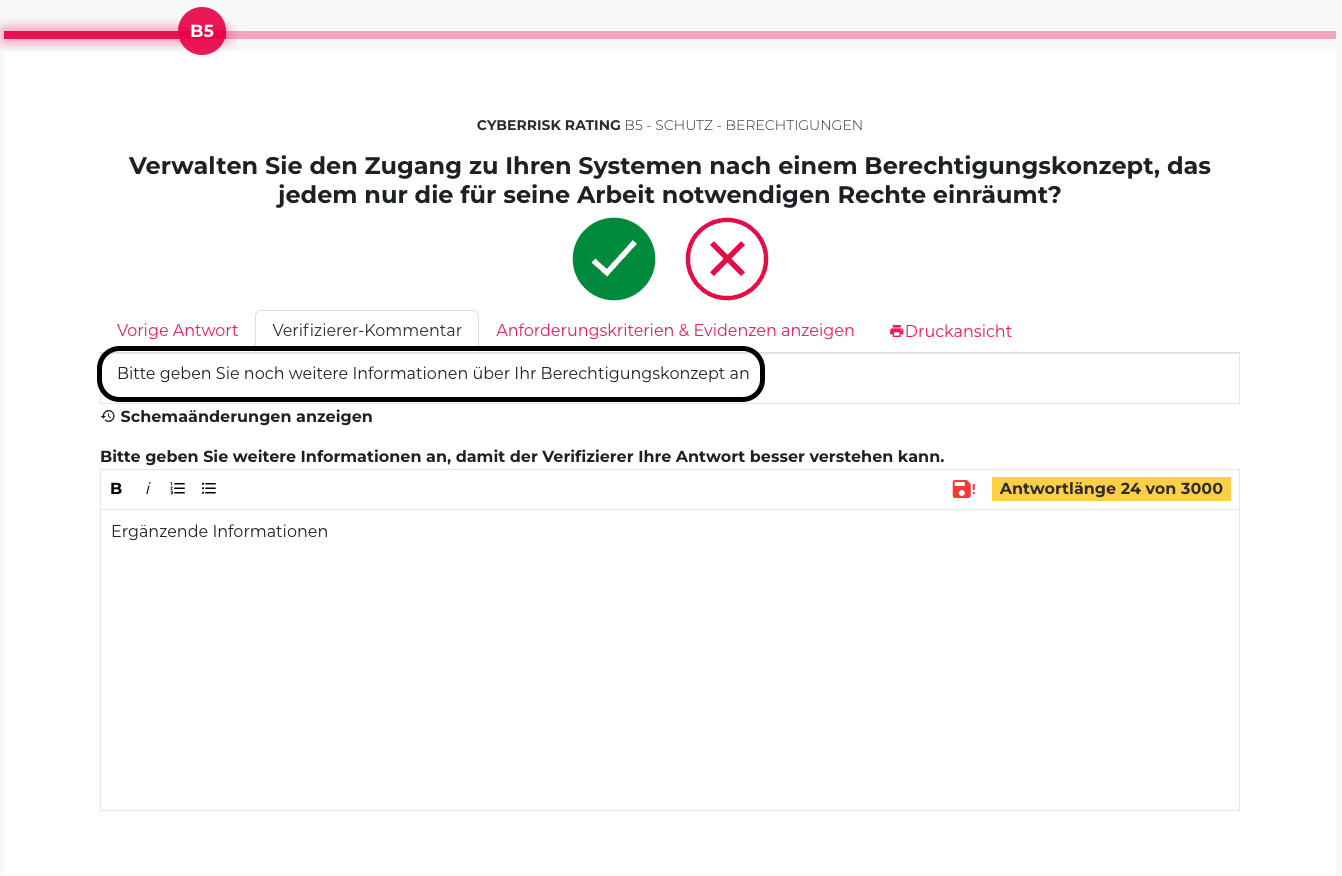](https://docs.nimbusec.com/uploads/images/gallery/2024-05/PWtAuafjmxDevx68-bildschirmfoto-2024-05-08-um-11-18-40.png)** --- **12: Hier werden alle Fragen aufgelistet, bei denen noch eine weitere Erläuterung notwendig ist** [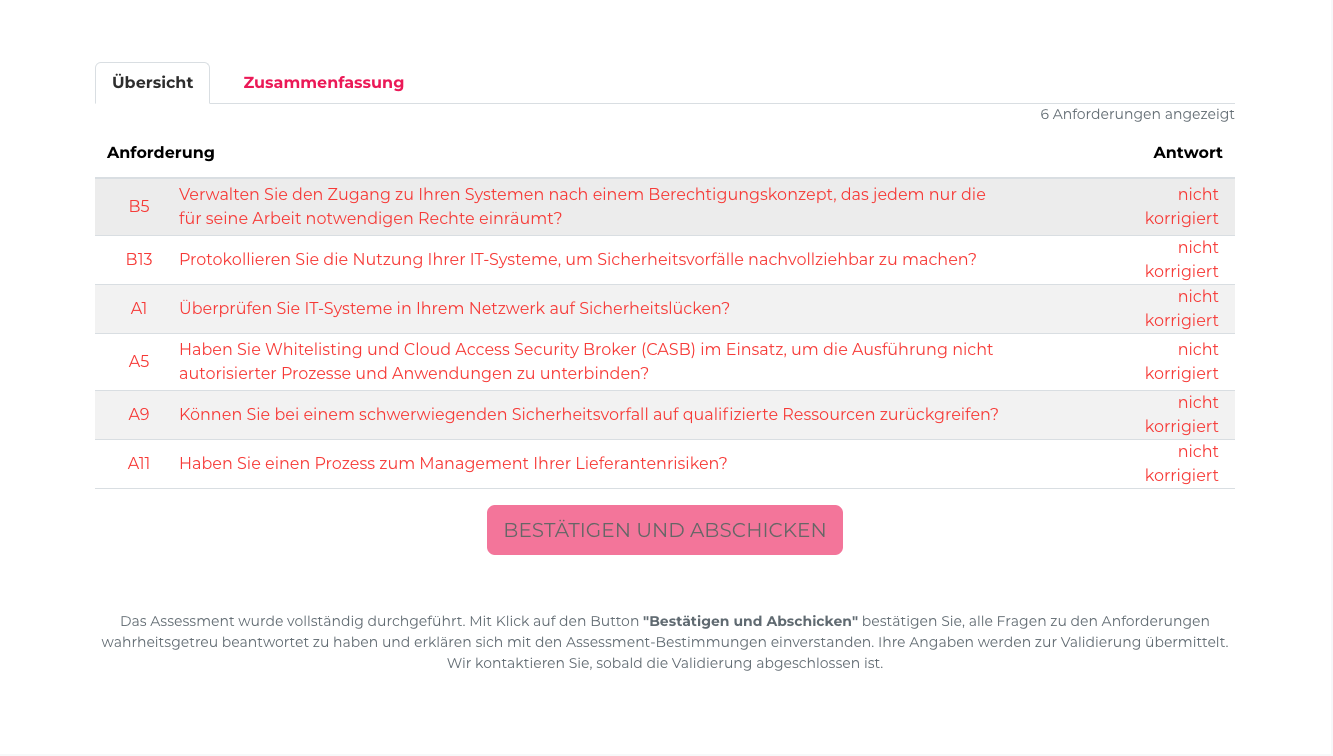](https://docs.nimbusec.com/uploads/images/gallery/2024-05/V9SXc2siZSLdeFFU-image.png) --- **13: Sobald die Fragen ergänzt wurden, klicken Sie auf den Button "BESTÄTIGEN UND ABSCHICKEN"** **[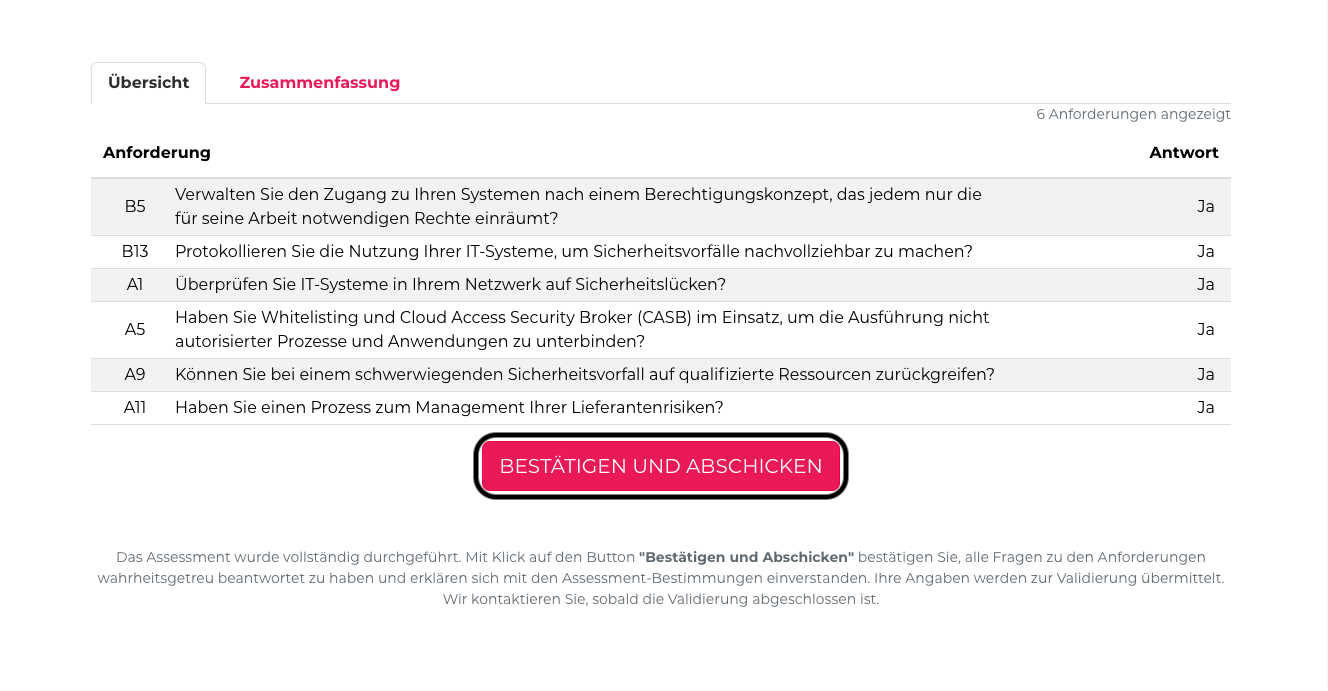](https://docs.nimbusec.com/uploads/images/gallery/2024-05/kBn0CuBbLGxQTYTy-bildschirmfoto-2024-05-08-um-11-40-18.png)** --- #### **Abschluss des Ratings** **14: Um das abgeschlossene Rating auszuwählen, klicken Sie auf den Banner "DAS ASSESSMENT IST ABGESCHLOSSEN. SIE KÖNNEN NUN IHR RATING AUSWÄHLEN"** #### [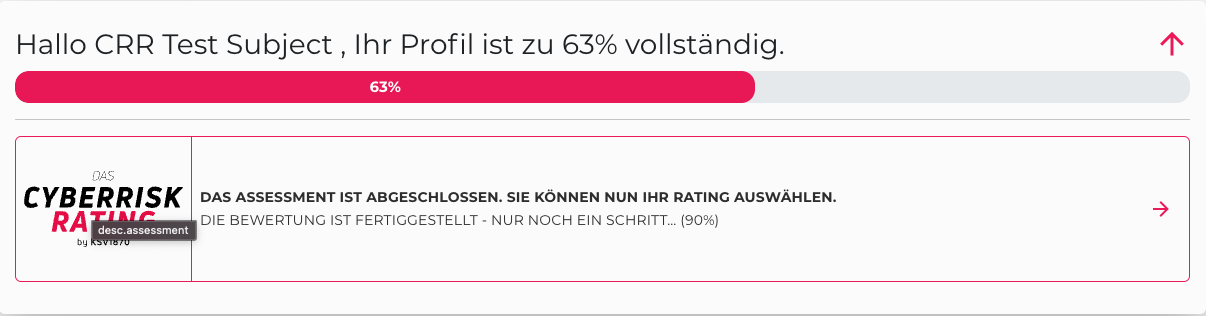](https://docs.nimbusec.com/uploads/images/gallery/2024-05/7sLSBfMnlxaJUyeP-image.png) --- **15: Im nächsten Schritt können Sie nun zwischen A/B Rating wählen. Nachdem Sie das Rating ausgewählt und "RATING FREIGEBEN UND HERUNTERLADEN" gedrückt haben, ist das Rating abgeschlossen** **Achtung: Bewahren Sie den Report unbedingt auf, denn alle Daten werden 2 Wochen nach Rating Abschluss wieder gelöscht!** [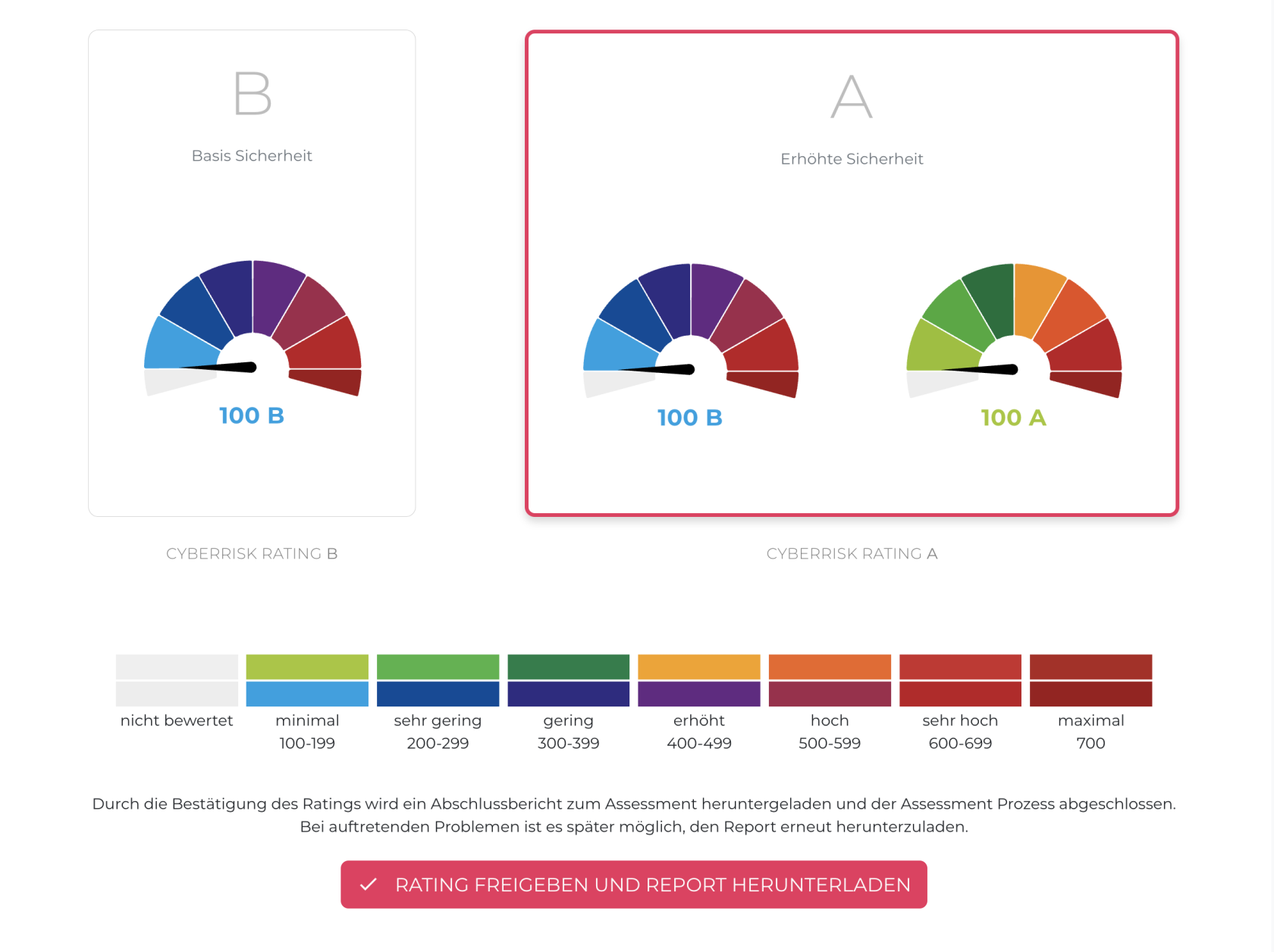](https://docs.nimbusec.com/uploads/images/gallery/2024-05/b8E0gXRWXJDVTDWH-bildschirmfoto-2024-05-10-um-11-10-17.png) ---**English version:**
### ***Table of contents*** - **Rating Initiation** - **Answering the Questions** - **Correction Phase** - **Correcting the Responses** - **Rating Completion** --- #### **Rating Initiation** **1. To start the rating, click on the banner: "A CYBERRISK RATING HAS BEEN REQUESTED FOR YOUR COMPANY."** **[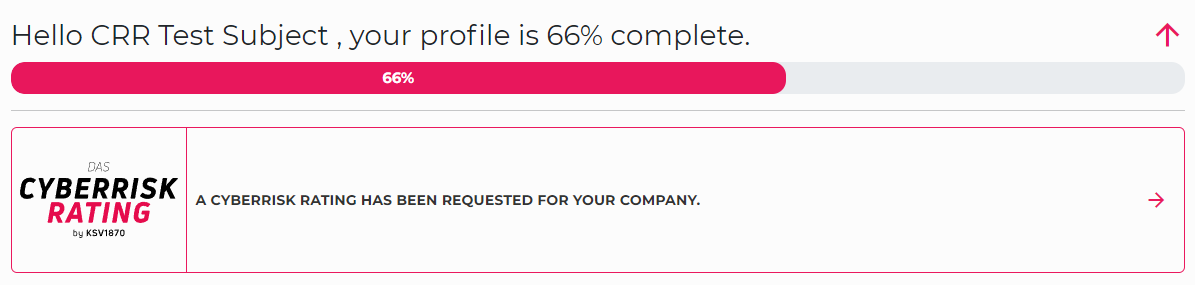](https://docs.nimbusec.com/uploads/images/gallery/2024-05/QXwJa6Jy3F5XF72T-rating-process-1.png)** --- **2. Before initiating the rating, it's important to read the instructions for answering the rating. Following the instructions is essential for a smooth process.** **[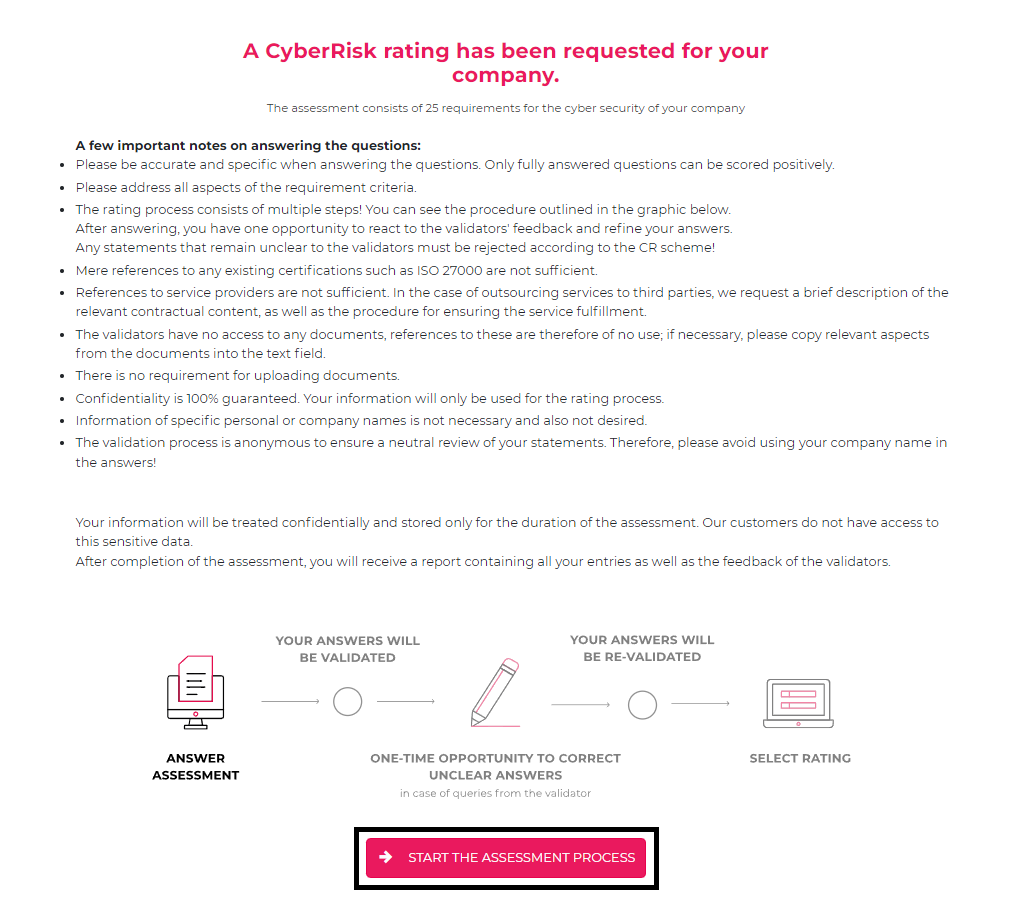](https://docs.nimbusec.com/uploads/images/gallery/2024-05/fh0SJIb0MZGY7mcl-rating-process-2.png)** --- **3: To finalize the start of the rating, confirm the examination conditions** [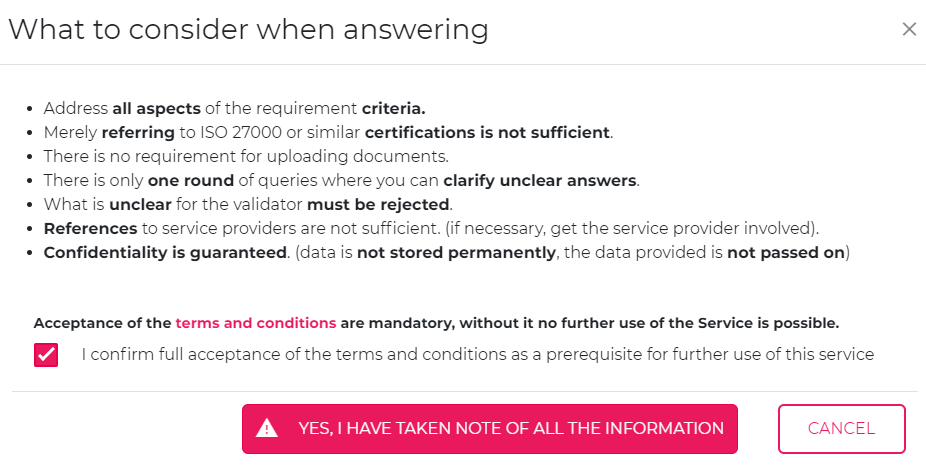](https://docs.nimbusec.com/uploads/images/gallery/2024-05/ImJPIaeUYudnOGmv-rating-process-3.png) --- #### **Answering the Questions** **4: After confirming the examination conditions, you can begin answering the questions. To ensure that the questions are answered properly, please consider the following points:** - No documents, policies, etc., can be uploaded - Answers to the questions should be in your own words and as simple as possible - The response must contain a minimum of 100 characters --- **5: To navigate to an overview of the questions, click on "TO OVERVIEW"** [](https://docs.nimbusec.com/uploads/images/gallery/2024-05/LA0GrzWC5de3Y8nt-rating-process-4.png) --- **6: Here, all 25 questions are listed. By clicking on the desired question, it can be answered** [](https://docs.nimbusec.com/uploads/images/gallery/2024-05/2BjNQeOAPjxmELBQ-rating-process-5.png) --- **7: Once all questions have been answered, click on the "CONFIRM AND SUBMIT" button. Your answers will then be submitted to the validator for the first time** **[](https://docs.nimbusec.com/uploads/images/gallery/2024-05/qPlSuq22VKEb2ize-rating-process-6.png)** --- #### **Correction Phase** **8: To start the correction, click on the banner "PLEASE REVIEW ANY UNCLEAR ANSWERS AND PROVIDE ADDITIONAL CLARIFICATION AS NEEDED."** [](https://docs.nimbusec.com/uploads/images/gallery/2024-05/YWKyJ9IhmKeJLn9r-rating-process-7.png) --- **9: To correct the answers, click on "CORRECT RESPONSES".** **[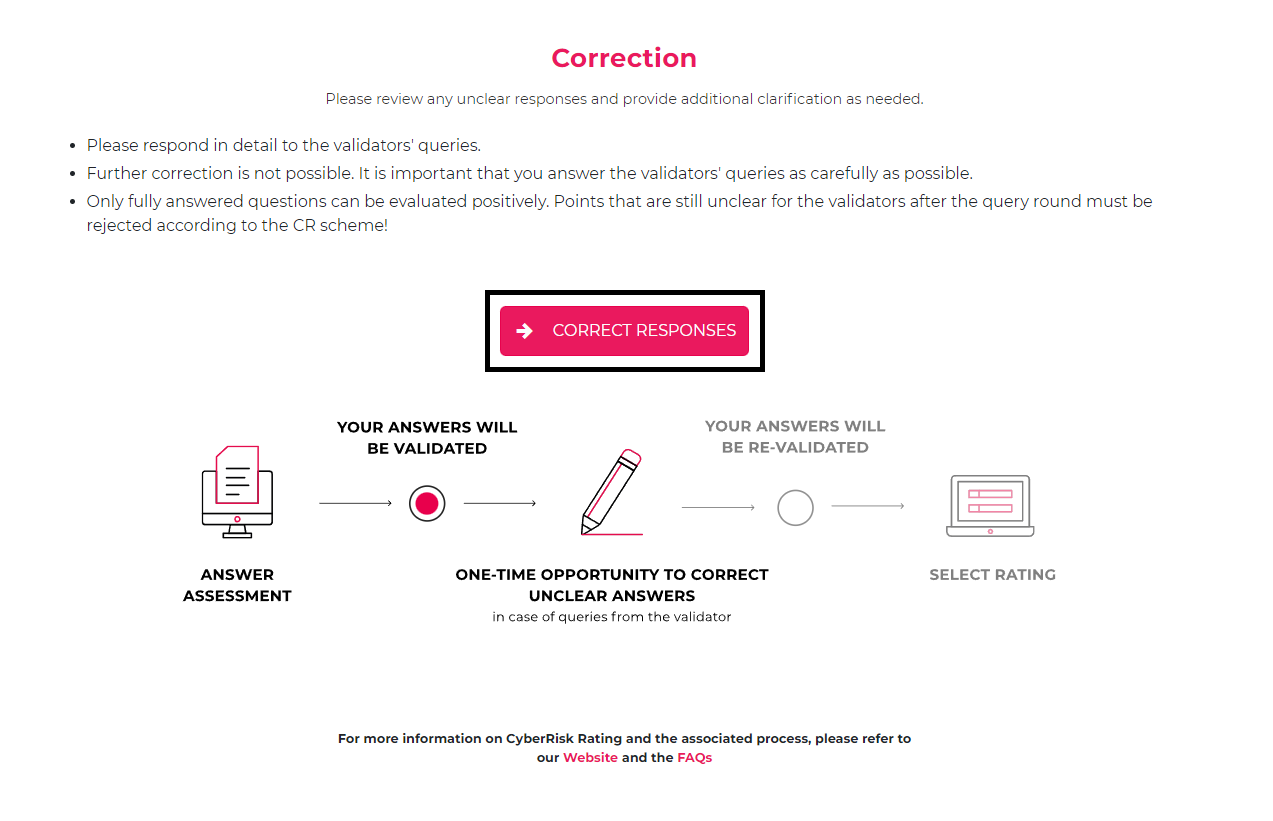](https://docs.nimbusec.com/uploads/images/gallery/2024-05/Yn8zi6TrgcnOU7Qv-rating-process-8.png)** --- #### **Correcting the Responses** **10: During the correction phase, you have the opportunity to positively influence your rating by supplementing the answers and incorporating feedback from the validator.** - **Previous Answer:** Here is the answer provided in the initial response, visible again. - **Validator's Comment:** Feedback and inquiries from the validator. - **View Requirements & Evidence:** The requirements of each question can be reviewed here again. --- **11: To access an overview of the questions, click on "TO OVERVIEW"** **[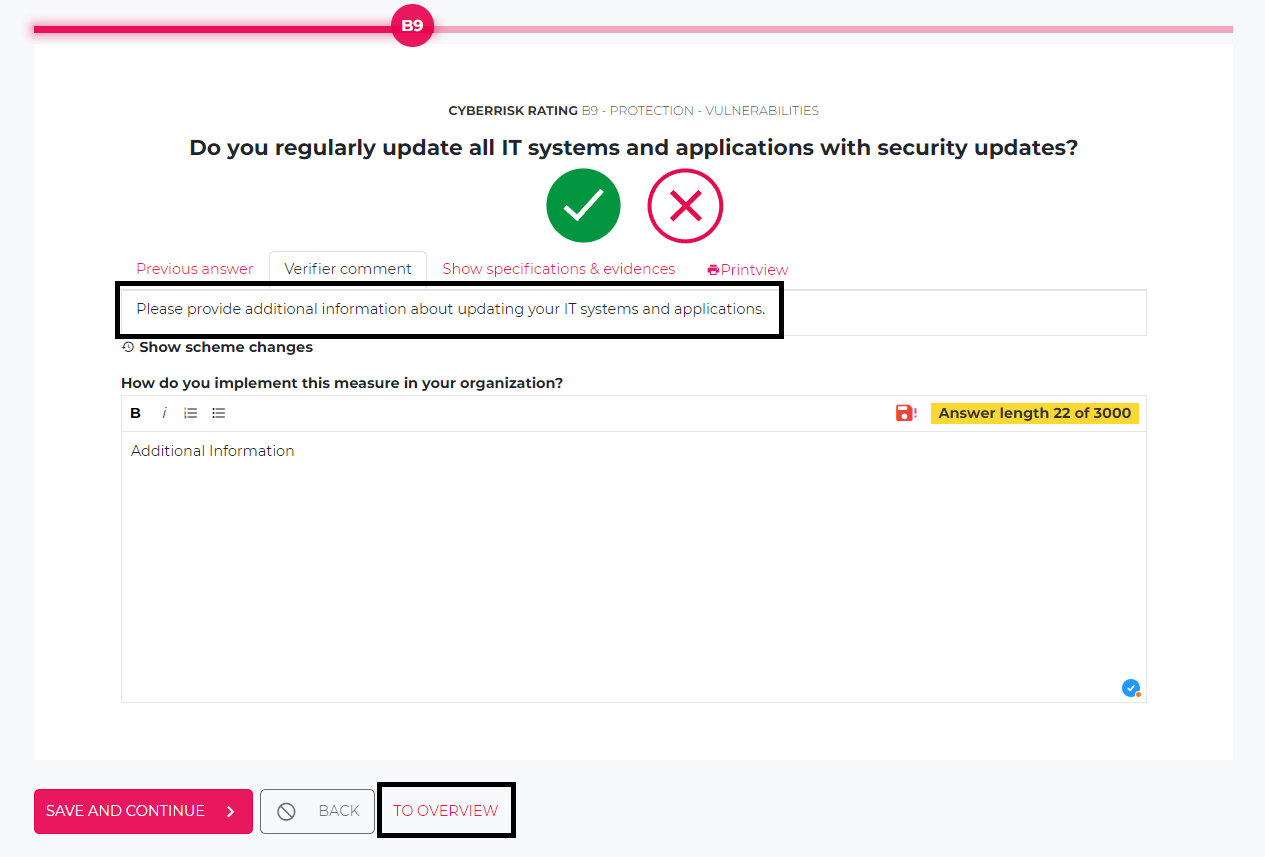](https://docs.nimbusec.com/uploads/images/gallery/2024-05/4iymAbcqiCkDn9Bq-rating-process-9.png)** --- **12: Here all questions are listed for which further explanation is required** **[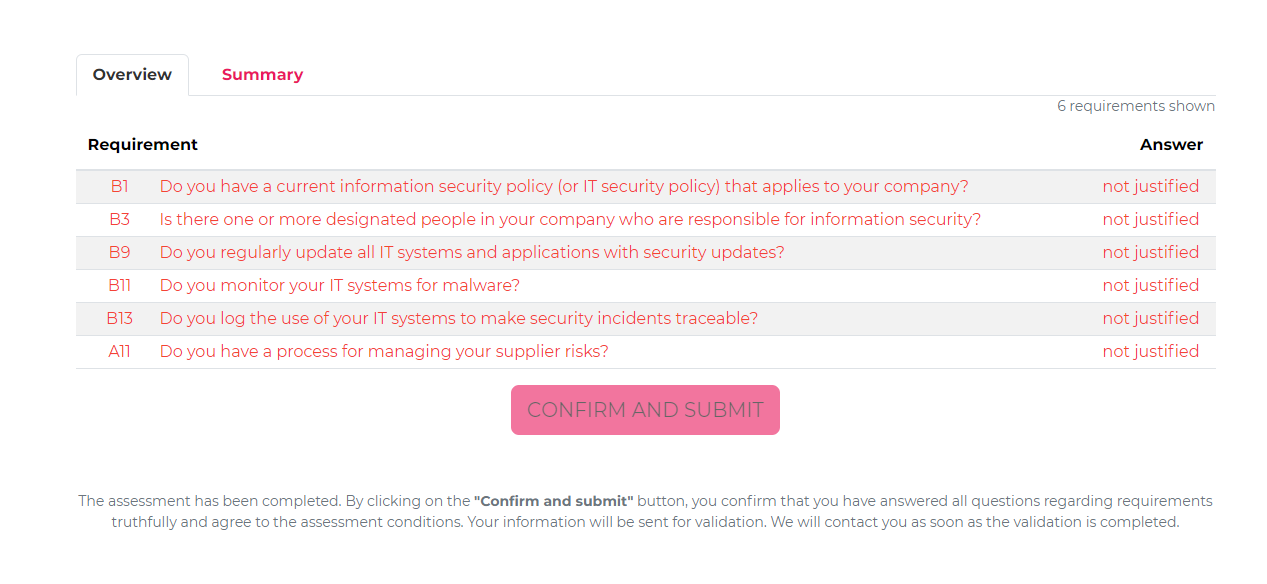](https://docs.nimbusec.com/uploads/images/gallery/2024-05/9zyIrOhvCUfiWCCA-rating-process-10.png)** --- **13: Once the questions have been supplemented, click on the "CONFIRM AND SUBMIT" button** **[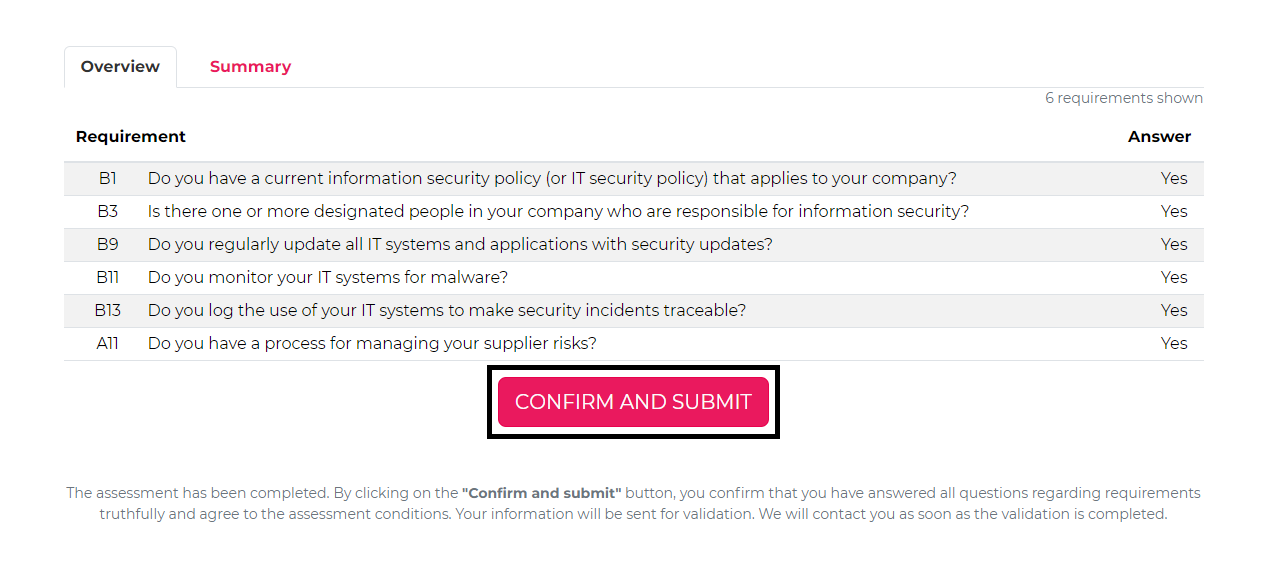](https://docs.nimbusec.com/uploads/images/gallery/2024-05/Ydhy4rBQlRZduGVj-rating-process-11.png)** --- #### **Rating Completion** **14: To select the completed rating, click on the banner "THE ASSESSMENT IS COMPLETED, YOU CAN NOW SELECT YOUR RATING."** **[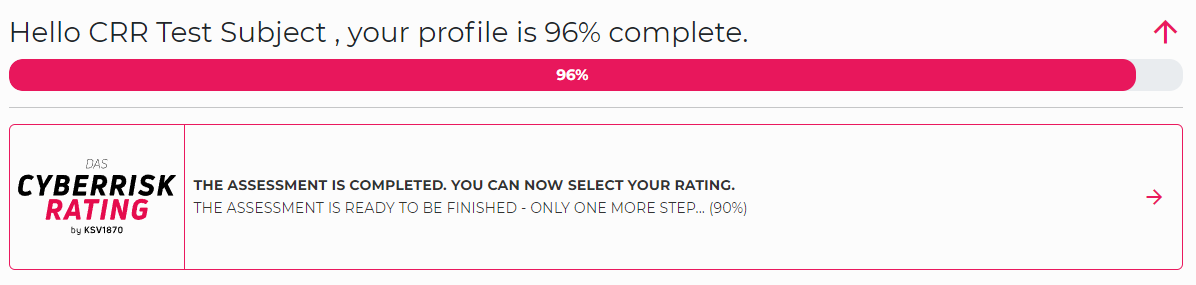](https://docs.nimbusec.com/uploads/images/gallery/2024-05/rjBOkuq7cg9FNpHU-rating-process-12.png)** --- **15: In the next step, you can now choose between A/B rating. After selecting the rating and pressing "FINISH RATING AND DOWNLOAD REPORT", the rating process is completed.** **Attention: Be sure to keep the report, as all data will be deleted 2 weeks after the rating is completed!** **[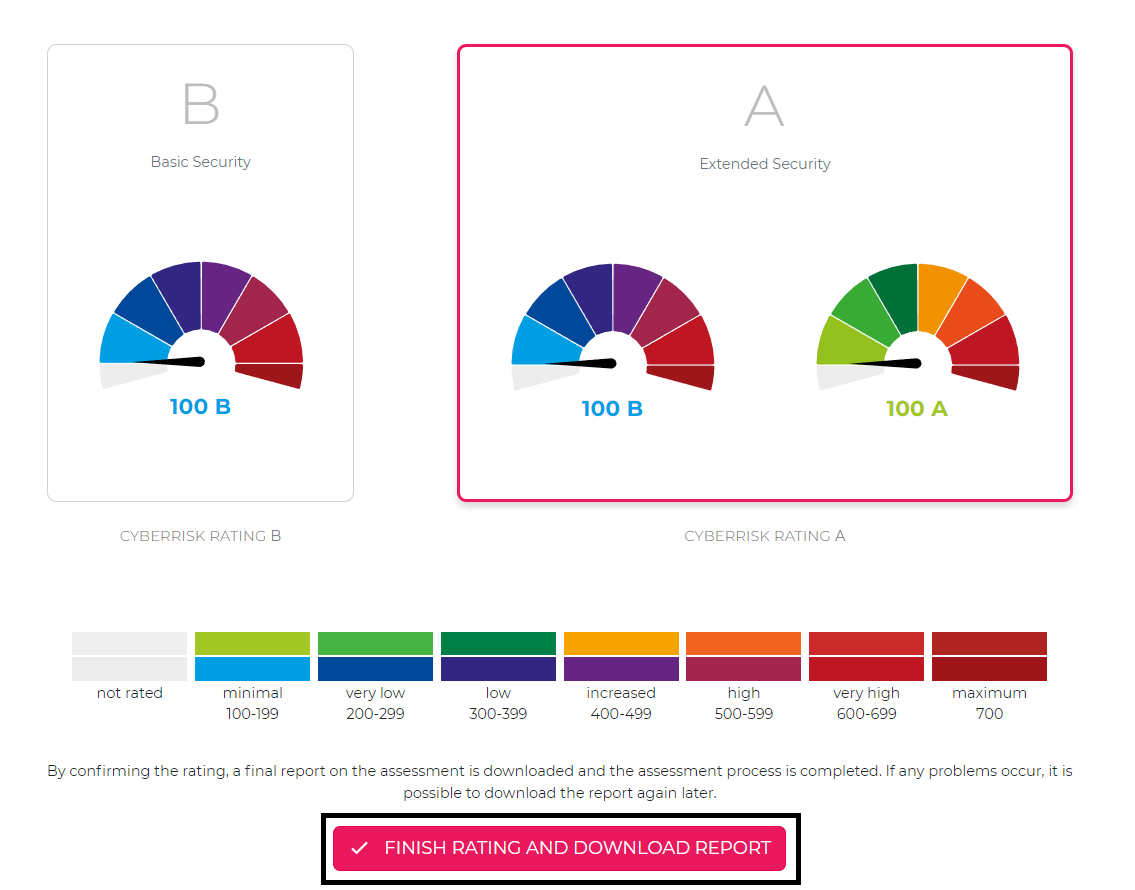](https://docs.nimbusec.com/uploads/images/gallery/2024-05/dXSxhS4PruPynk0r-rating-process-13.png)** ---