# How to import the JSON file
Last year, you received a JSON file to download after completing the assessment.
This year, you can upload the JSON file to automatically fill in the first answers.
Simply follow the next steps:
1. log in to our portal via the following link [https://cr.nimbusec.com ](https://cr.nimbusec.com).
2. You should now see the following information on your dashboard[](https://docs.nimbusec.com/uploads/images/gallery/2025-01/bhw6fhp90PxAg8ey-grafik.png)You can enter your assessment by clicking on this information button.[ ](https://docs.nimbusec.com/uploads/images/gallery/2025-01/bhw6fhp90PxAg8ey-grafik.png)
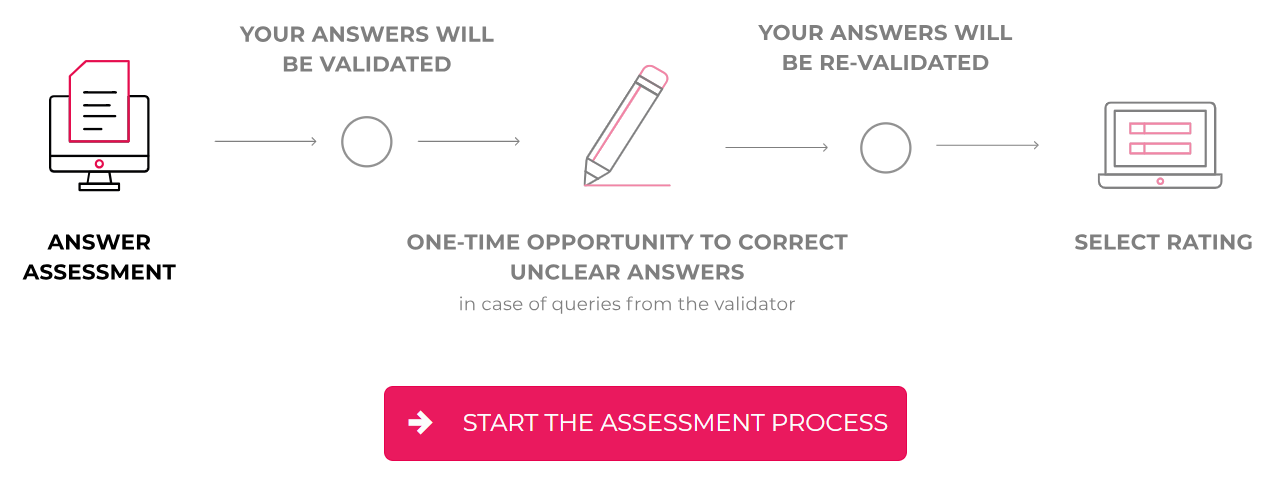
3. Now start the assessment by clicking on “start the assessment process”.
[](https://docs.nimbusec.com/uploads/images/gallery/2025-01/Fhx8OBxUsRr3ZknH-grafik.png)
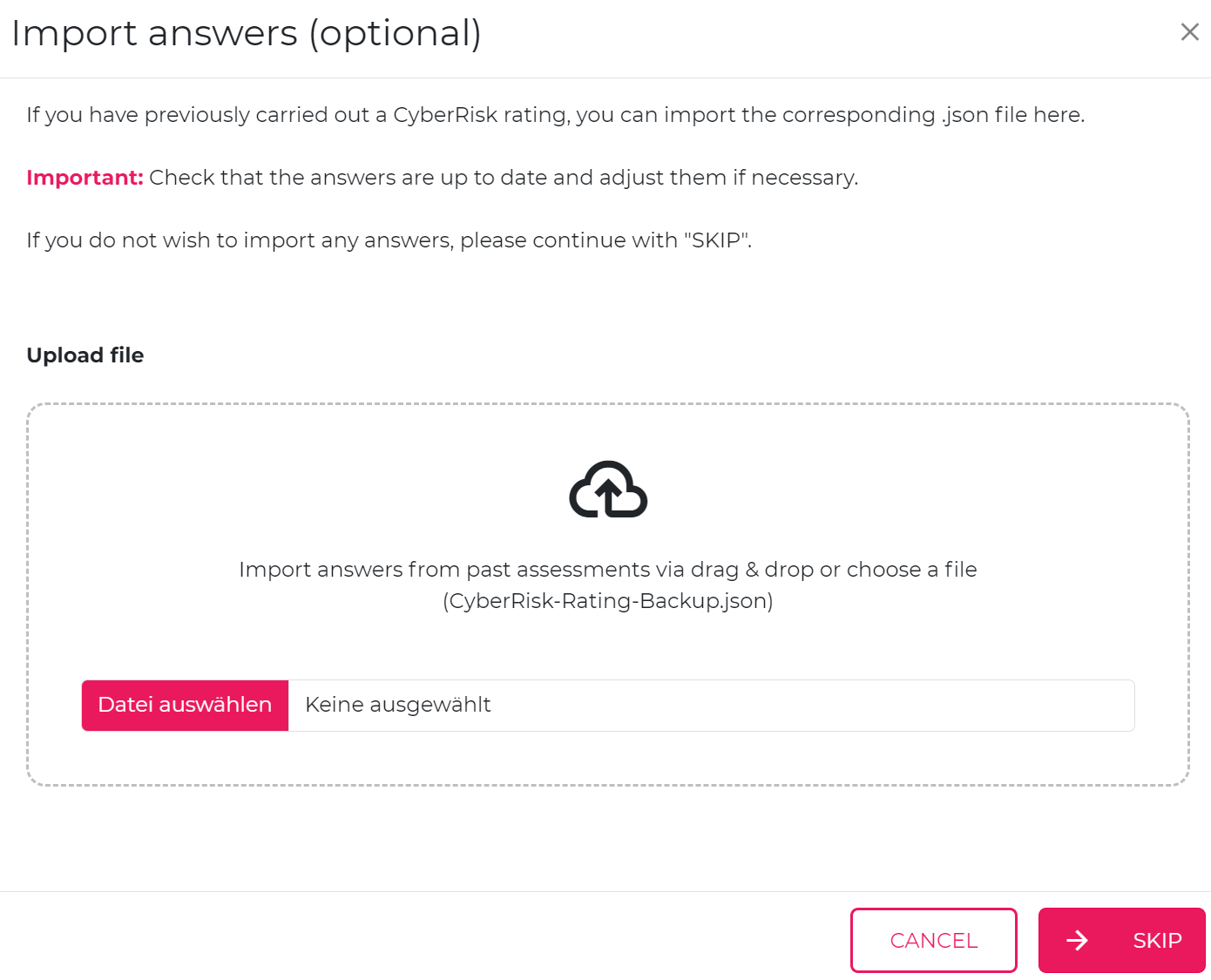
4. You will find an upload field where you can add your JSON file using drag & drop.
[](https://docs.nimbusec.com/uploads/images/gallery/2025-01/Z4nJNxgvoRFXyWod-grafik.png)
5. Then simply start your assessment. All given answers from the JSON file have been added
Please remember that our scheme is also updated annually. Therefore, simply check each question and your answers to see if they match the individual aspects.